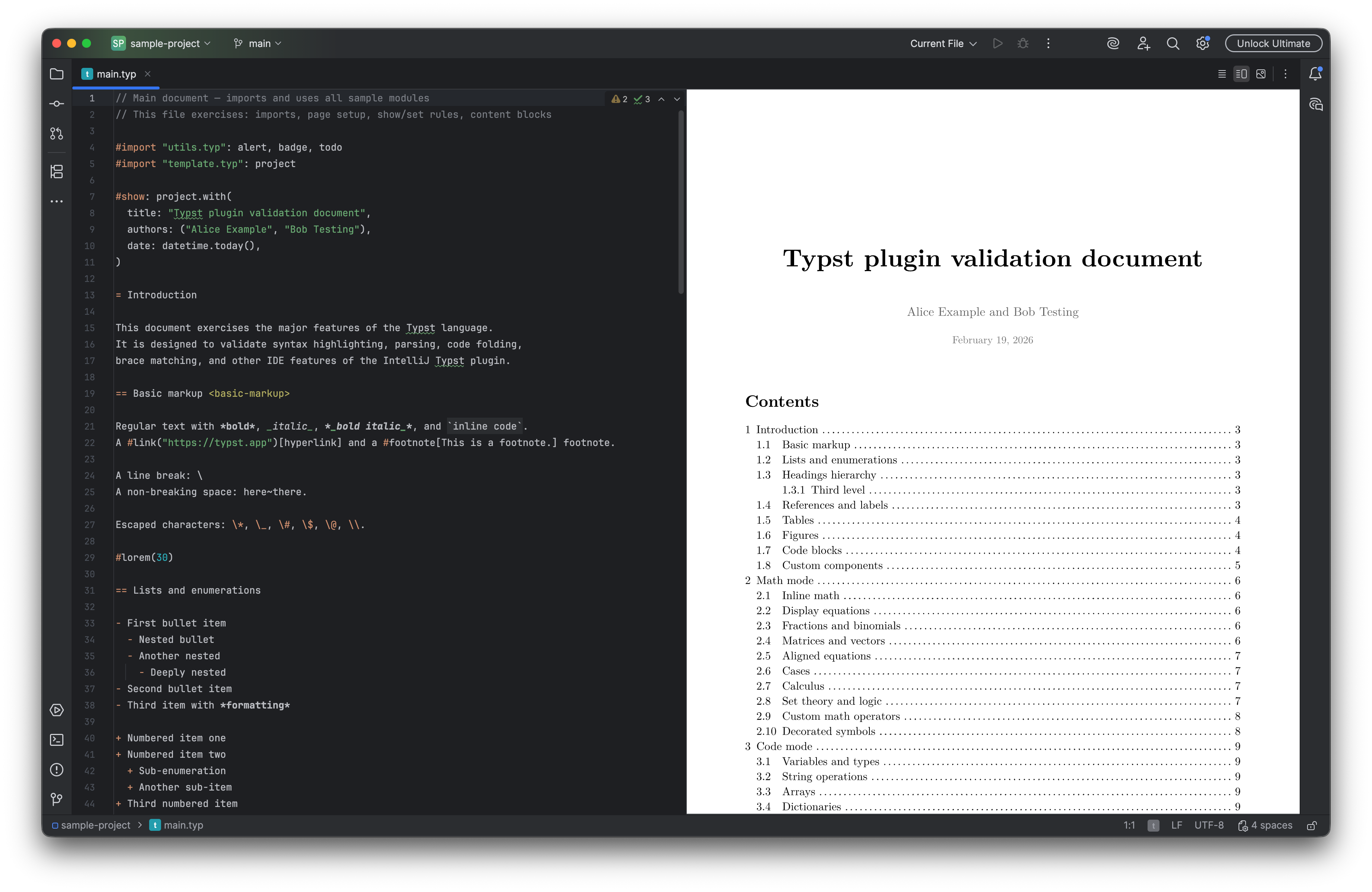
Full-featured Typst support powered by the Tinymist language server. Live preview with bidirectional scroll sync, smart code completion, diagnostics, and export to PDF, PNG, and SVG.
Get from MarketplaceCompatible with IntelliJ IDEA, PyCharm, WebStorm, and all JetBrains IDEs
Preview panel alongside the editor powered by Tinymist's built-in preview server, with bidirectional scroll sync between editor and preview.
Context-aware code completion, inline diagnostics with quick-fixes, go-to-definition, find usages, and rename refactoring via Tinymist LSP.
Consecutive blank lines, missing document title, missing code block language, inconsistent list markers, and unmatched formatting markers.
Full IDE support inside raw code blocks for 90+ languages — syntax highlighting, completion, and formatting with language name completion.
Visual size chooser for inserting new tables, plus context menu actions to add and delete rows and columns.
Export to PDF, PNG, and SVG directly from the Tools menu. Run configurations for typst compile and typst watch.
Bold, italic, inline code, strikethrough, headings, bullet and numbered lists, links, and block elements via the Generate menu.
Separate color schemes for markup, code, and math modes, fully customizable in Settings. Includes brace matching, code folding, and auto-closing.
Common Typst patterns available via Cmd+J / Ctrl+J, plus file templates for creating new Typst documents.
Automatic code formatting via typstfmt or typstyle, with document outline and structure view in the Structure tool window.
Boost your Typst workflow with affordable pricing
7-day free trial included · Individual use
Get access to Typst Pro on flexible monthly payment terms.
Get access to Typst Pro and save with yearly billing. Even better rates for renewals.
Install Typst Pro and get powerful Typst editing capabilities inside JetBrains IDEs.
Get from MarketplaceCompatible with IntelliJ IDEA, PyCharm, WebStorm, and all JetBrains IDEs