A tour of the seven Mythos palettes
Compare the myth-inspired dark families and light Elysium.
On this page
Pick a palette character#
Mythos registers seven distinct themes. Olympus combines navy and gold, Hades plum-black and crimson, Poseidon teal and cyan, Nyx near-black and violet, Artemis slate and mint, and Oracle warm charcoal and terracotta. Elysium is the light parchment option.
Select the exact Mythos … name in Appearance → Theme and check the matching editor scheme. Similar darkness does not imply identical accent colors or selection backgrounds.
Compare the sample workspace#
The screenshots show the same Java source and Project tree under different dark palettes. Look at the class/record declaration, string, method, comment, active tab, and selected tree row. This reveals how editor and UI accents change together.
Open a completion popup and a diff in your own project. The illustrated source does not show every semantic state or language category you use.
Make the choice repeatable#
Use the reading samples, hold font/brightness fixed, and compare two candidates at a time. If you prefer a lighter surface, apply Elysium directly rather than increasing display brightness on a dark variant.
Check comments and diagnostic markers at normal working size. A vivid accent can look attractive in a screenshot while a muted category still needs adjustment for your display.
Customize after choosing#
Use accent families and editor schemes to make a deliberate copy of the selected palette. First establish which supplied variant fits the workspace so later local overrides have a clear baseline.
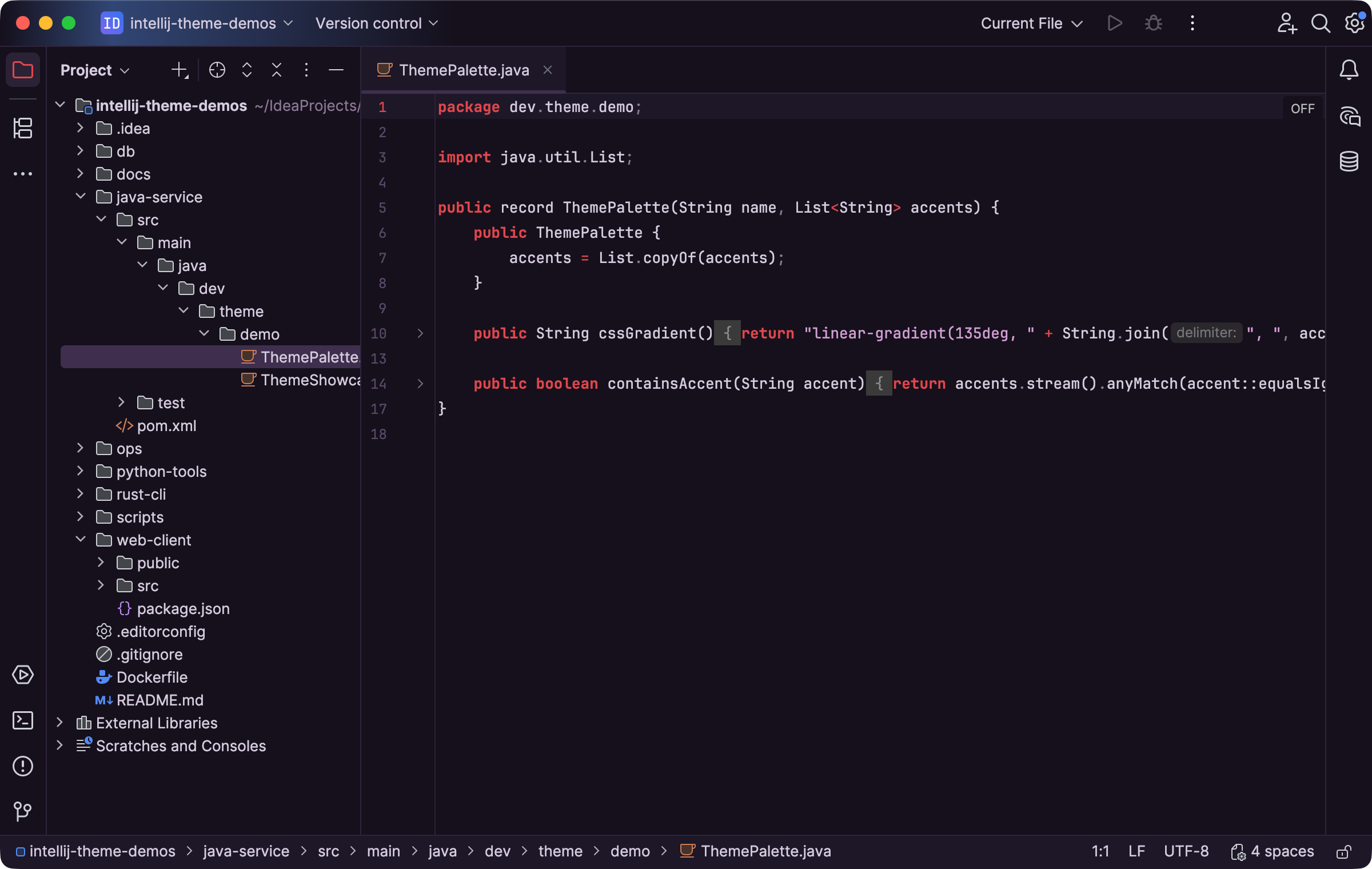
A Mythos dark palette pairs a plum-toned surface with warm syntax accents. Select the image to view it at full size.
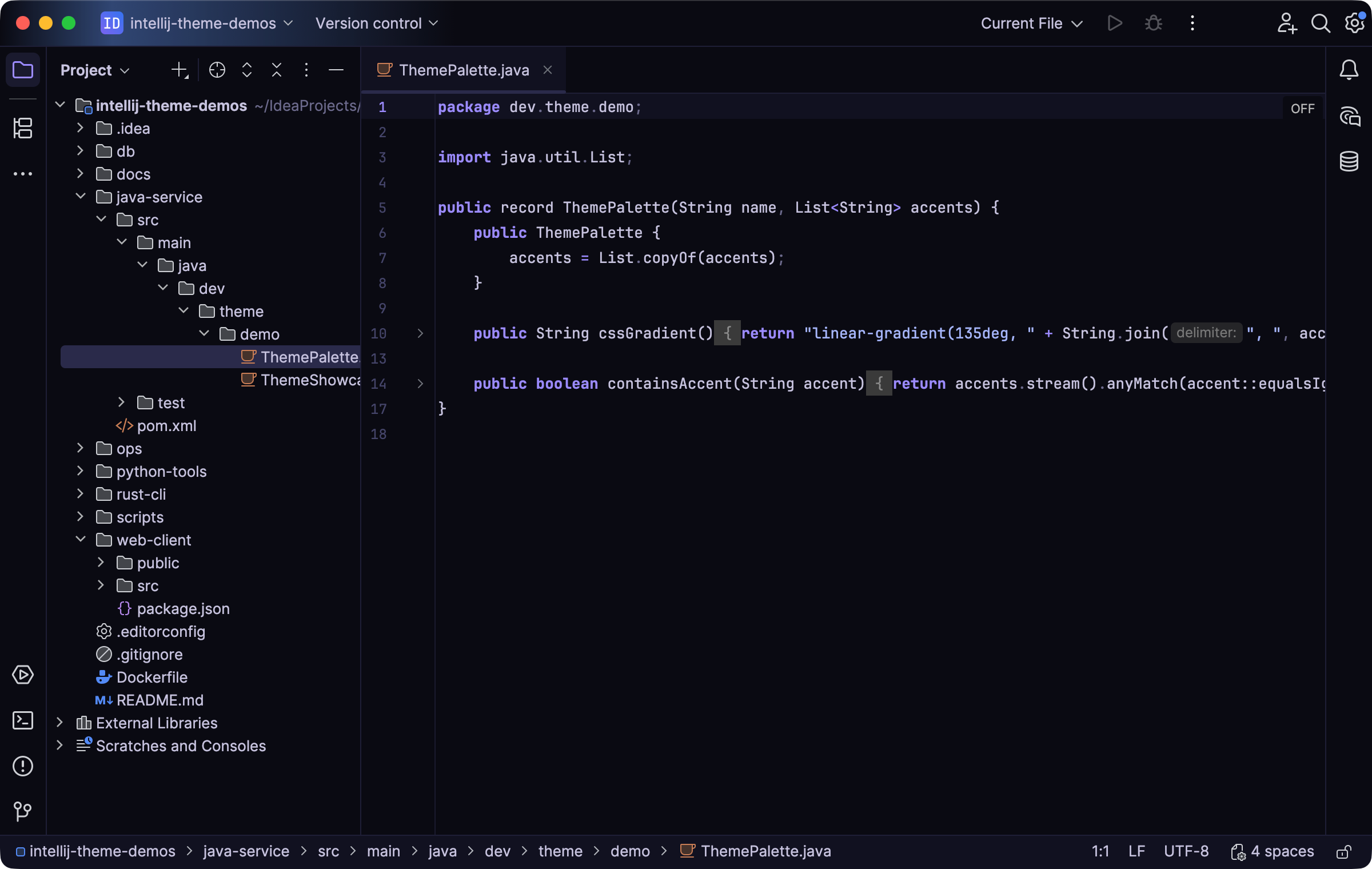
A near-black Mythos treatment changes the surface and violet accents. Select the image to view it at full size.
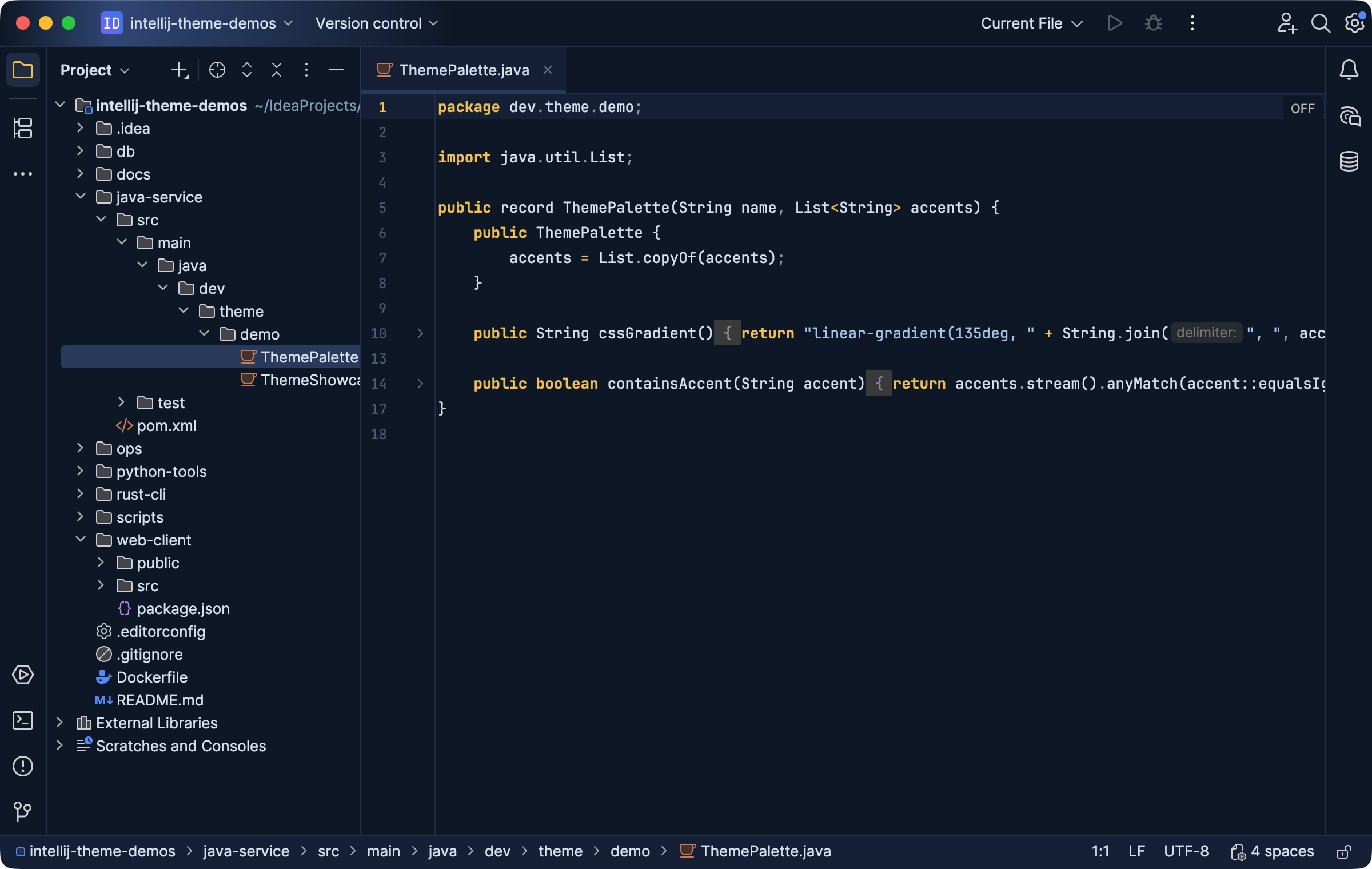
A blue-toned Mythos workspace provides another palette character. Select the image to view it at full size.
Manual for version 2026.1.1 · Reviewed