Paper palettes and semantic colors
Choose a paper surface while retaining errors, diffs, and state cues.
On this page
Choose the paper surface#
The five variants serve different reading preferences. ePaper Light uses clean white paper; ePaper eInk uses low-glare cream; ePaper Sepia adds a warmer ivory surface. ePaper Dark inverts the paper idea for a dim workspace. ePaper Accessible retains distinct semantic colors with contrast-checked text.
Apply a variant in Appearance → Theme and inspect the matching editor scheme. Compare comments and ordinary text first, then syntax. A quiet palette should reduce competing color without making useful text disappear.
Inspect semantic information#
Open a diff and a file with warnings/errors. Check added/removed lines, VCS file states, success messages, warning icons, and error underlines. Low-chroma general surfaces do not mean every semantic state should look identical.
Accessible is a named palette, not a promise that every third-party plugin or custom editor override meets a particular accessibility target. Inspect your actual languages, selected controls, and display conditions.
Compare a complete workspace#
The custom icon treatment and Islands-inspired panel separation help distinguish editors, tool windows, and controls on supported platforms. Check a tree selection, a tab, and a popup in addition to the code pane.
Use the reading samples with fixed font/brightness while comparing Light, eInk, and Sepia. The dark screenshot provides a separate option rather than a brightness-adjusted simulation of the light palette.
Continue with focused adjustments#
Use reading and workspace settings to tune fonts and inspect semantic states without losing the supplied palette.
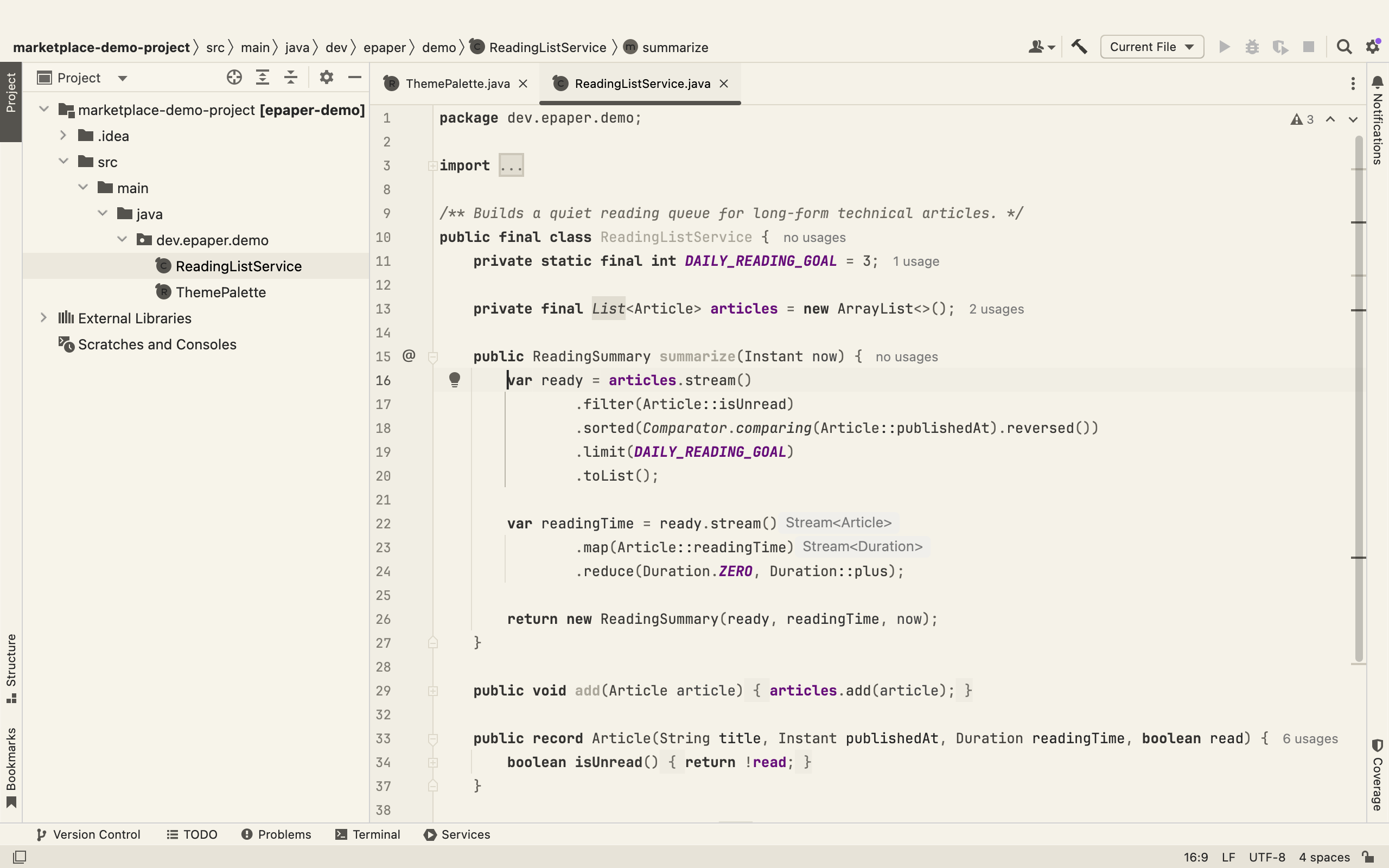
A warm paper-toned workspace keeps source and tool windows visually restrained. Select the image to view it at full size.
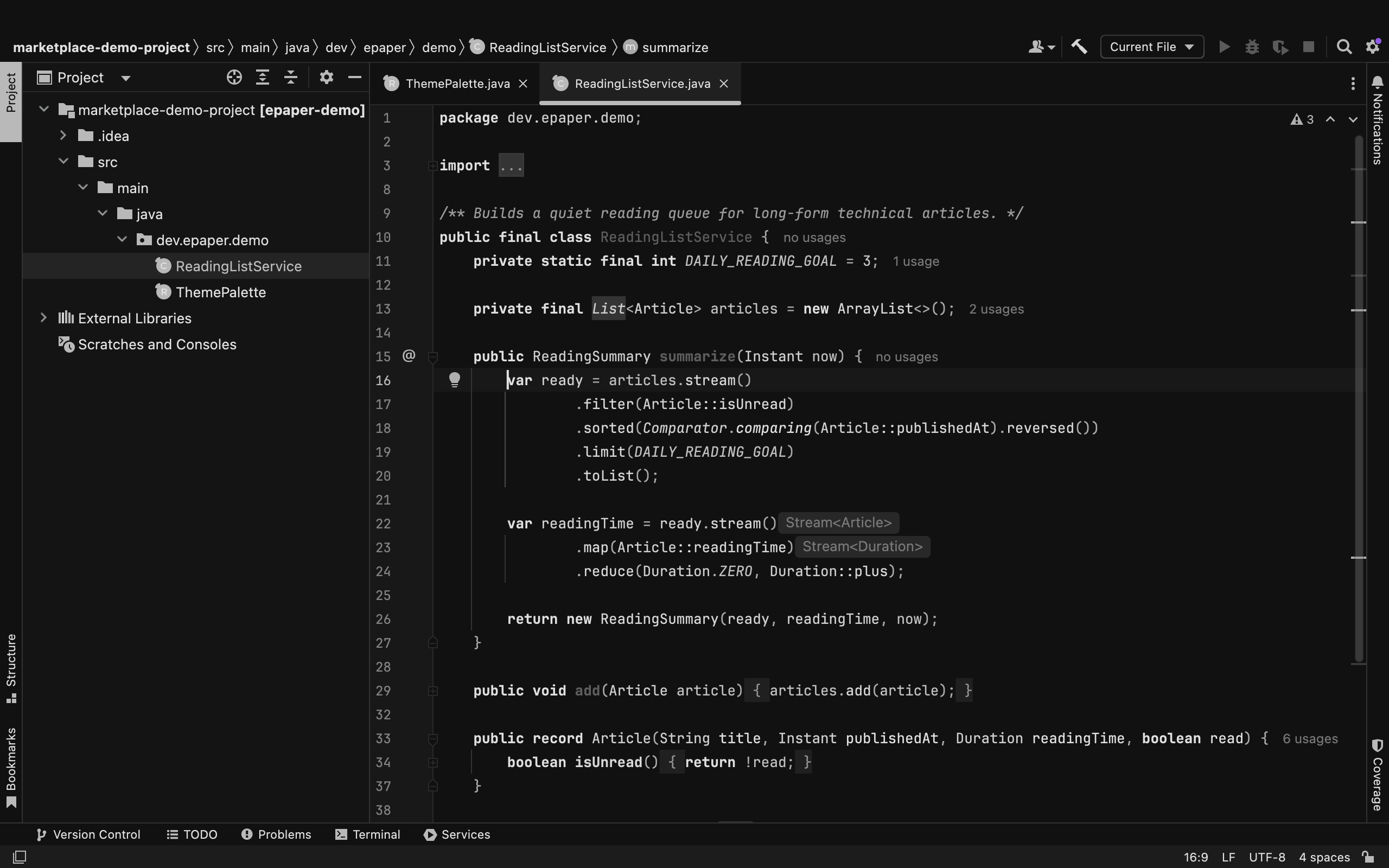
ePaper Dark provides an inverted paper workspace for dim environments. Select the image to view it at full size.
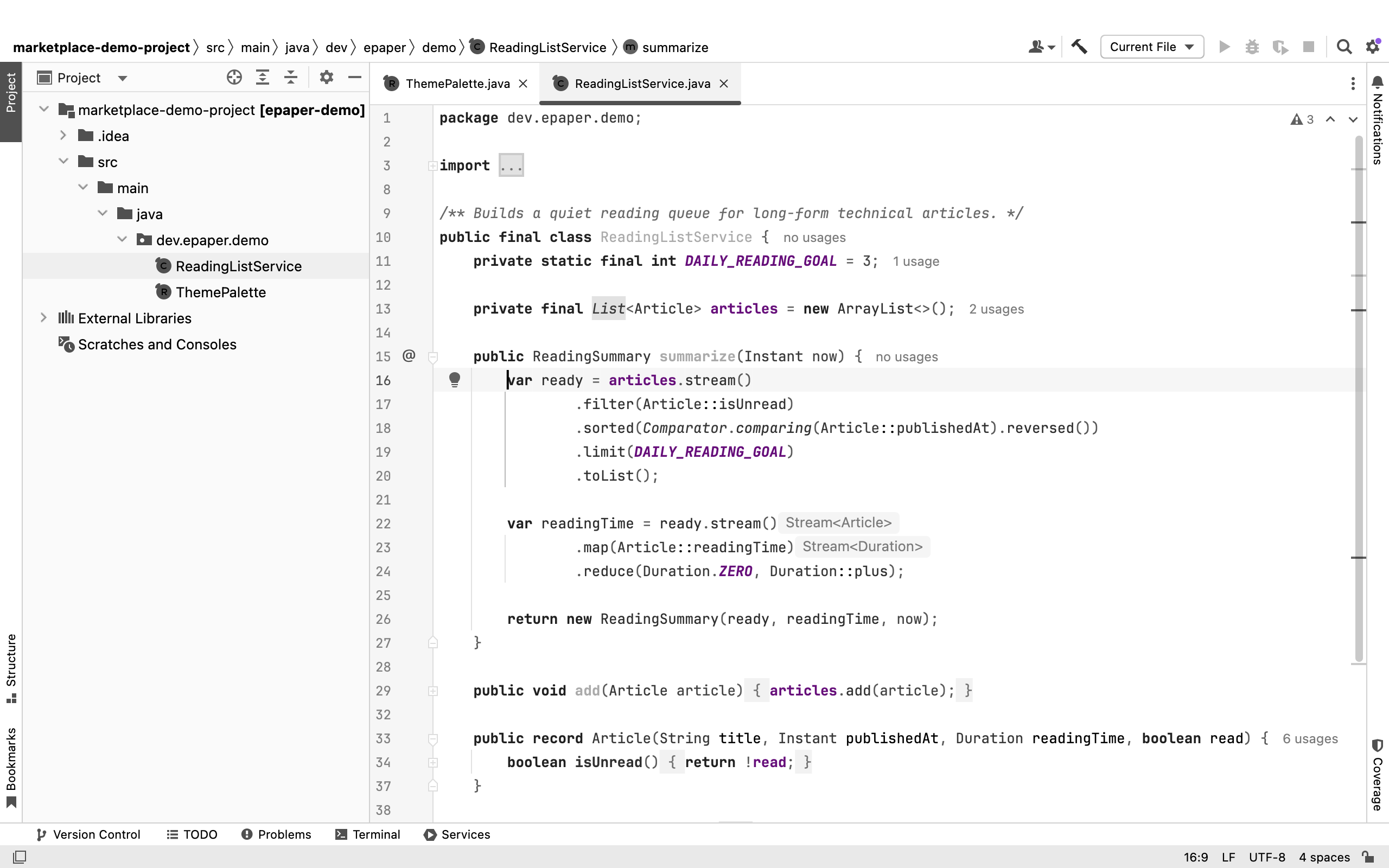
A light paper workspace emphasizes readable source and clear pane boundaries. Select the image to view it at full size.
Manual for version 2026.1.1 · Reviewed