Coverage and multi-module outputs
Read kept, renamed, and shrunk states from the exact build outputs.
On this page
Collect matching outputs#
Build the intended minified variant and select its mapping, seeds, and usage inputs. Android builds commonly place these under build/outputs/mapping/<variant>/; other builds may use explicit paths. Files from different variants or builds should not be mixed.
Read the states#
Coverage appears in gutters, Project view roll-ups, and the Obfuscation Coverage tool window. Kept-by-name, renamed, shrunk, and partially shrunk states explain different transformations. A class remaining in output does not mean its public spelling survived.
Inspect a kept class’s matching rule and source location. Search/filter the table to locate an unexpected result, then export HTML/CSV for a review that records the build identity.
Keep modules separate#
Two modules can contain identically named classes. The documented release keeps their mappings and coverage separate and matches exact member signatures/overloads. Select the intended module when reviewing a class instead of interpreting another module’s result as contradictory evidence.
Handle stale or malformed data#
Rebuild after source/rule changes and refresh outputs. Malformed seeds/usage files are reported rather than treated as empty coverage. A missing file is not proof that nothing was shrunk.
Compare build timestamps, variant, tool mode, and configured paths when all classes suddenly appear unknown. Preserve production outputs with the release artifact so future analysis can reproduce the same transformation.
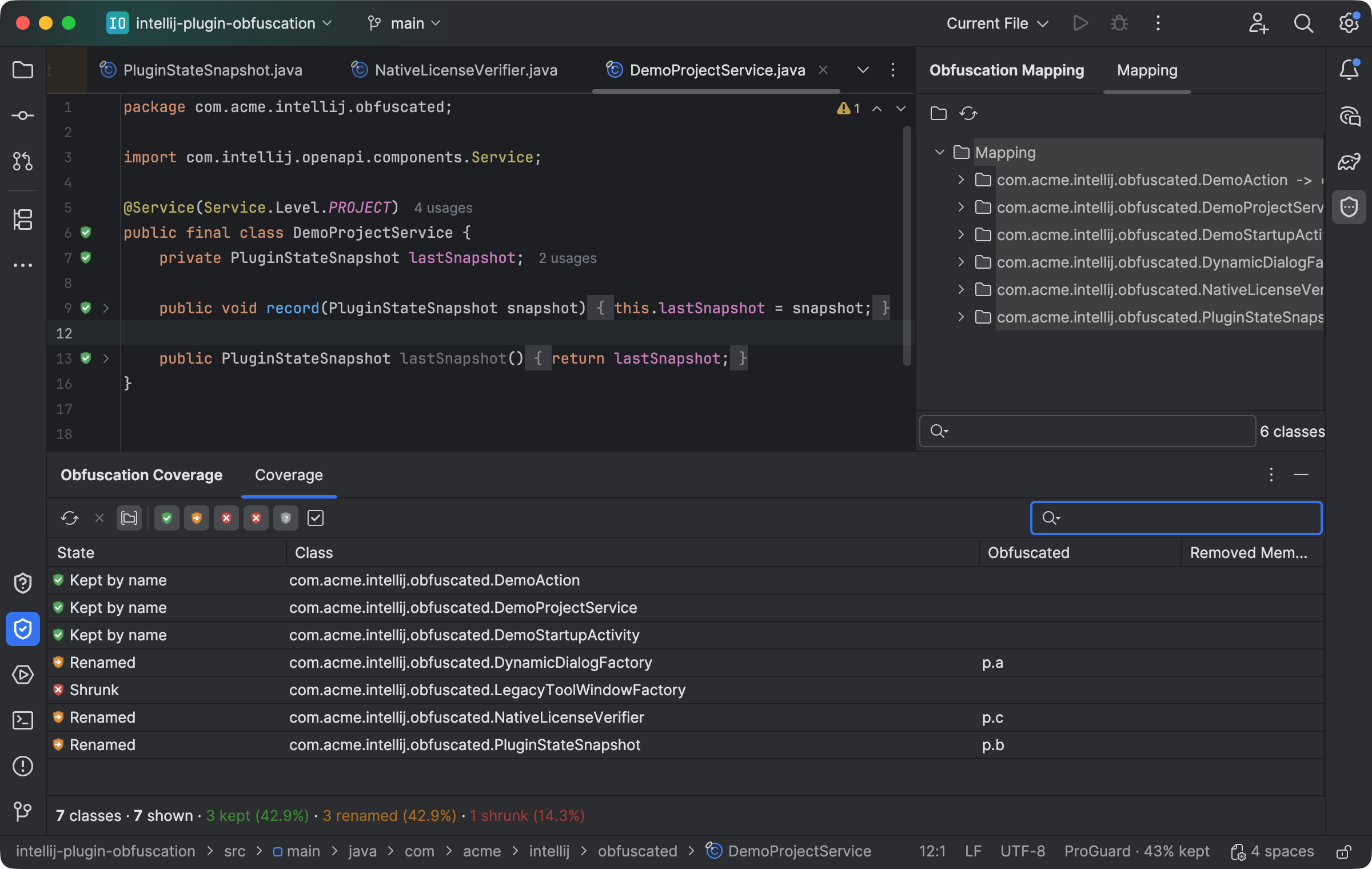
Coverage distinguishes kept names, renamed classes, and shrunk elements next to the mapping viewer. Select the image to view it at full size.
Manual for version 2026.2.2 · Reviewed