Diagram views, layouts, and navigation
Create focused views and understand what the diagram is showing.
On this page
Filter a large schema deliberately#
A DiagramView selects a subset of the schema without removing declarations. In the modular shop example, main.dbml defines views by tables, groups, and schemas:
DiagramView operations {
  Tables {
    auth.accounts
    shop.products
    purchase_order
    billing.order_items
  }
}

DiagramView identity {
  TableGroups {
    identity_core
  }
}

DiagramView everything {
  *
}
Select a view in the DBML Diagram toolbar. A table missing from a focused view may still exist in the model; switch to all tables or the wildcard view before diagnosing an import failure.
Shape the workspace#
Use table/column search to locate an object, zoom to inspect columns, and pan to move through a large layout. Fit restores an overview; Auto Layout computes new positions. Dragging tables lets you refine the arrangement after that automatic pass.
Use key-only or fuller detail levels according to the task. Key badges include indexed primary and unique keys. Hover a relationship to inspect its label without keeping every label permanently visible.
Save a useful review view#
Create or edit a DiagramView from selected tables using the diagram’s view controls. Verify the generated source selection, then arrange the view. Views retain independent layouts, so an operations diagram can be organized differently from a billing diagram.
When sharing layouts through the dbdiagram CLI, keep the companion .dbdiagram file alongside the schema. The layout is not a replacement for DBML declarations.
Export what you see#
Choose DBML Export → Export Diagram… and select SVG, PNG, or PDF. Export uses the current view and layout. Reopen the result and check whether filters hid tables that the recipient needs. A focused diagram should be named and captioned for its purpose.
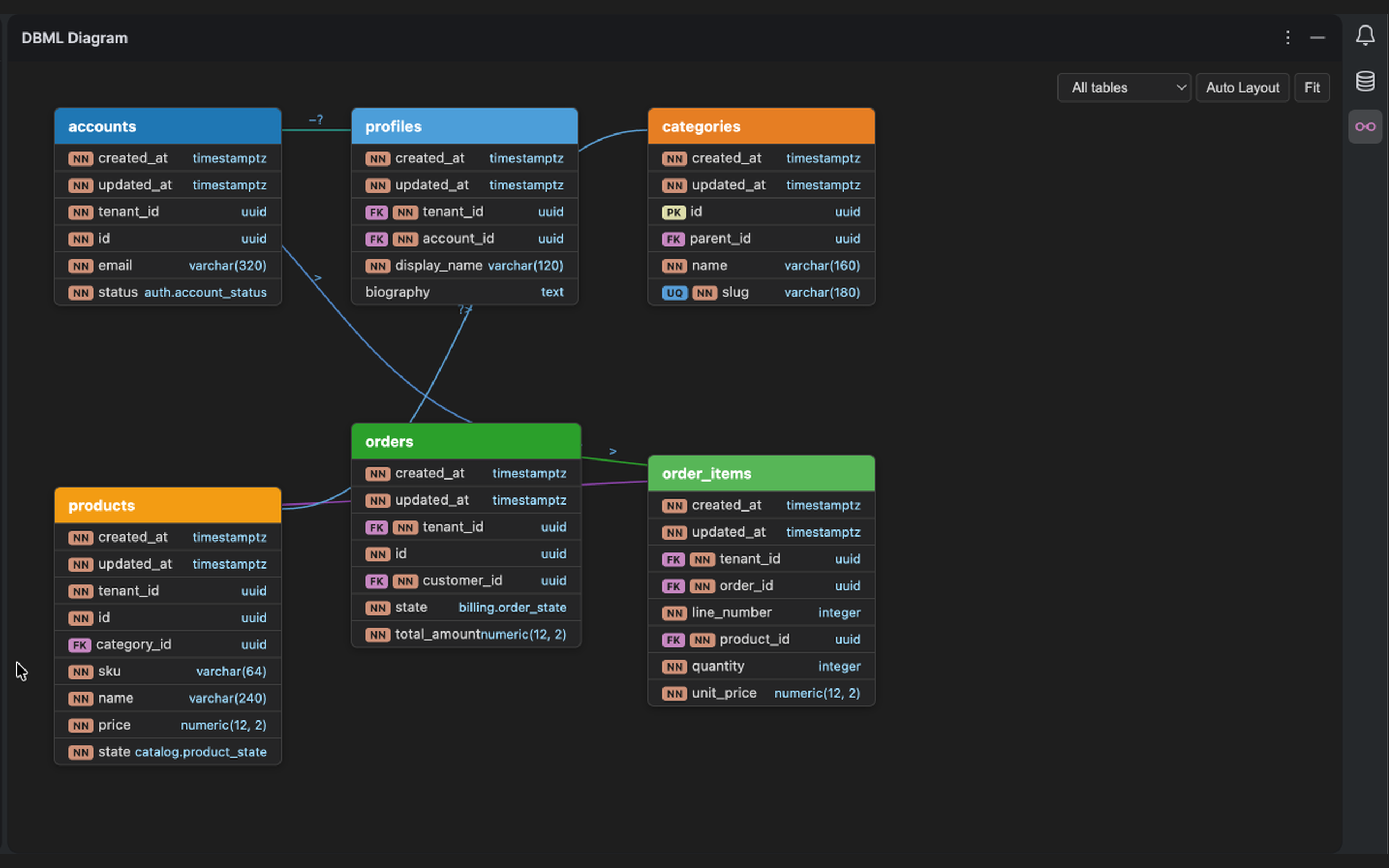
The DBML Diagram tool window can focus on the schema without the source editor. Select the image to view it at full size.
Manual for version 2026.2.4 · Reviewed