Inspections and quick fixes
Practice missing-symbol fixes and diagnose invalid relationships.
Create a controlled error#
Start with this intentionally incomplete model:
Table customers {
  id integer [pk]
}
Table orders {
  id integer [pk]
  customer_id integer
}
Ref: orders.customer_id > customers.customer_id
customers.customer_id does not exist. Put the caret on the highlighted endpoint and invoke Show Context Actions (usually Alt+Enter). Create missing DBML column adds the missing field to the table that owns the reference target.
For this example, the better fix may be to change the reference to customers.id. A mechanical create action cannot decide whether you mistyped a name or intended to evolve the schema. Inspect the proposed change and undo if it does not express the design.
Missing table#
A reference to an unknown table can offer Create missing DBML table. In a modular project, first check whether the table exists but was not imported. Adding a second table would conceal a visibility error rather than fix it.
Composite mismatch#
Compare these endpoints:
Ref: orders.(tenant_id, customer_id) > customers.idTwo columns on the left and one on the right produce an arity error. Add the intended composite key/reference, or remove the unintended column. Paired column types are also checked; inspect mismatches such as integer versus uuid before exporting SQL.
Review the destination file#
Imported-table fixes can edit the table’s declaring module. After applying a fix, inspect the version-control diff and use Undo to verify that it forms the expected change. The downloadable shop’s inspection-playground.dbml contains isolated examples; keep it separate from the valid main model.
After structural changes, inspect the live diagram and an export. Passing local inspections is useful, but the database or migration tool still validates executable SQL.
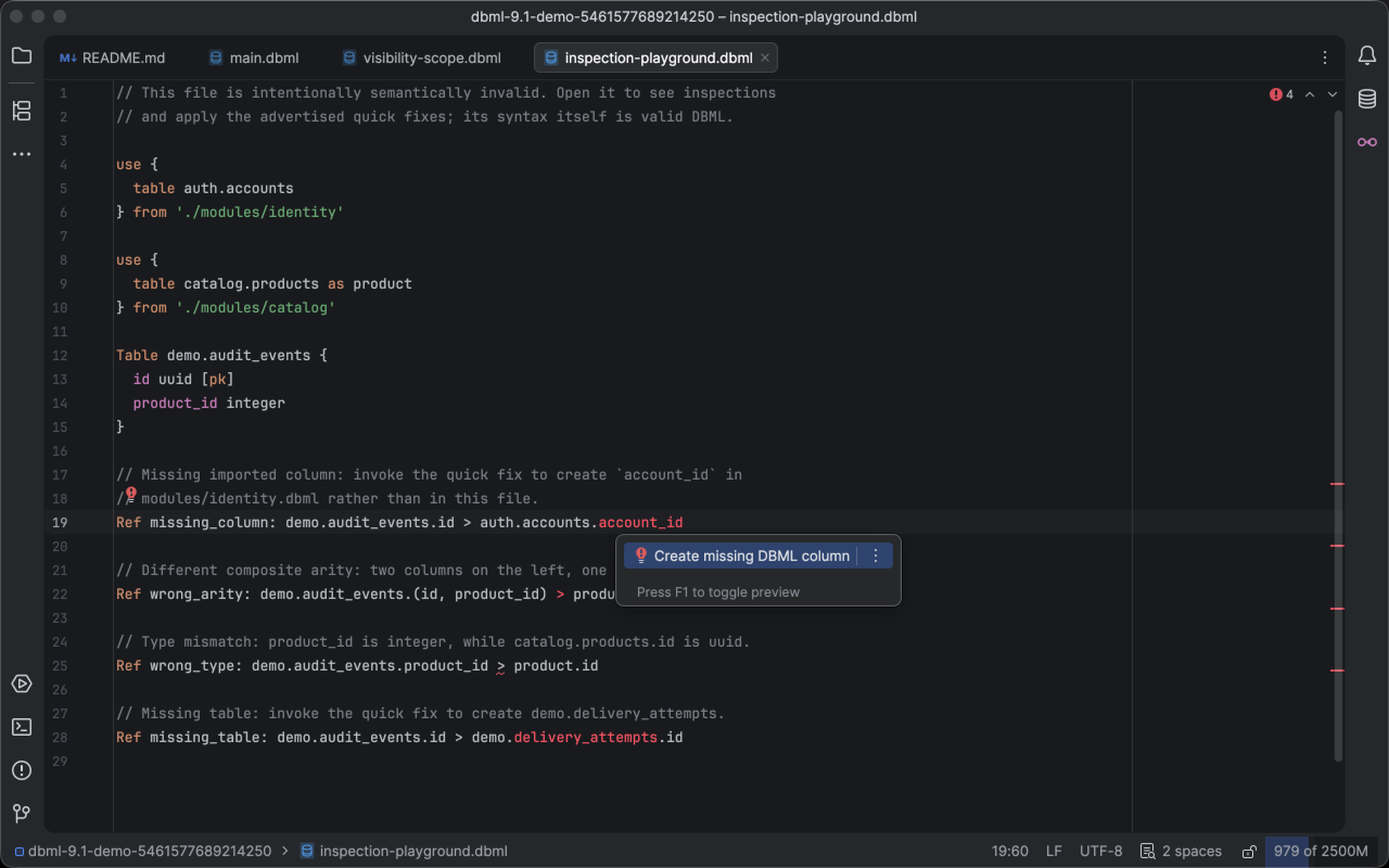
The context-action menu offers Create missing DBML column for an unresolved endpoint. Select the image to view it at full size.
Manual for version 2026.2.4 · Reviewed