Tables, directives, and injected code
Edit aligned tables and context-aware directive options.
On this page
Insert a table#
Use the visual table chooser for an initial grid. A simple table is:
+---------+------+
| Service | Port |
+=========+======+
| API     | 8080 |
+---------+------+
| Metrics | 9090 |
+---------+------+
Place the caret in a table before using row/column editing actions. Grid and simple tables have different structural rules; merged or multiline cells need their boundaries preserved. Inspect the preview after a structural edit.
Complete a directive#
Type .. and invoke completion to select a directive. Inside its body, option completion offers relevant names and excludes options already present. For example:
.. code-block:: python
   :linenos:
   :emphasize-lines: 2

   prices = [125, 250]
   print(sum(prices))
Indent options and content consistently. A blank line separates directive options from body content. A formatting error can make source text appear as an ordinary paragraph rather than code.
Use injected editing support#
Recognized code languages receive language-specific editing support when that language is available in the IDE. A literalinclude also needs a resolvable source path. Injection improves editing; it does not execute the example or install its runtime.
Use templates and formatting actions#
The Generate/RST Formatting actions and live templates insert common headings, lists, links, roles, and directives. Review context before expanding a template inside a nested directive. Heading adornment length and directive indentation are part of RST syntax.
For an admonition, try .. warning:: with an indented paragraph, then inspect its preview. Extension-specific cards/tabs need the corresponding renderer support described in preview engines.
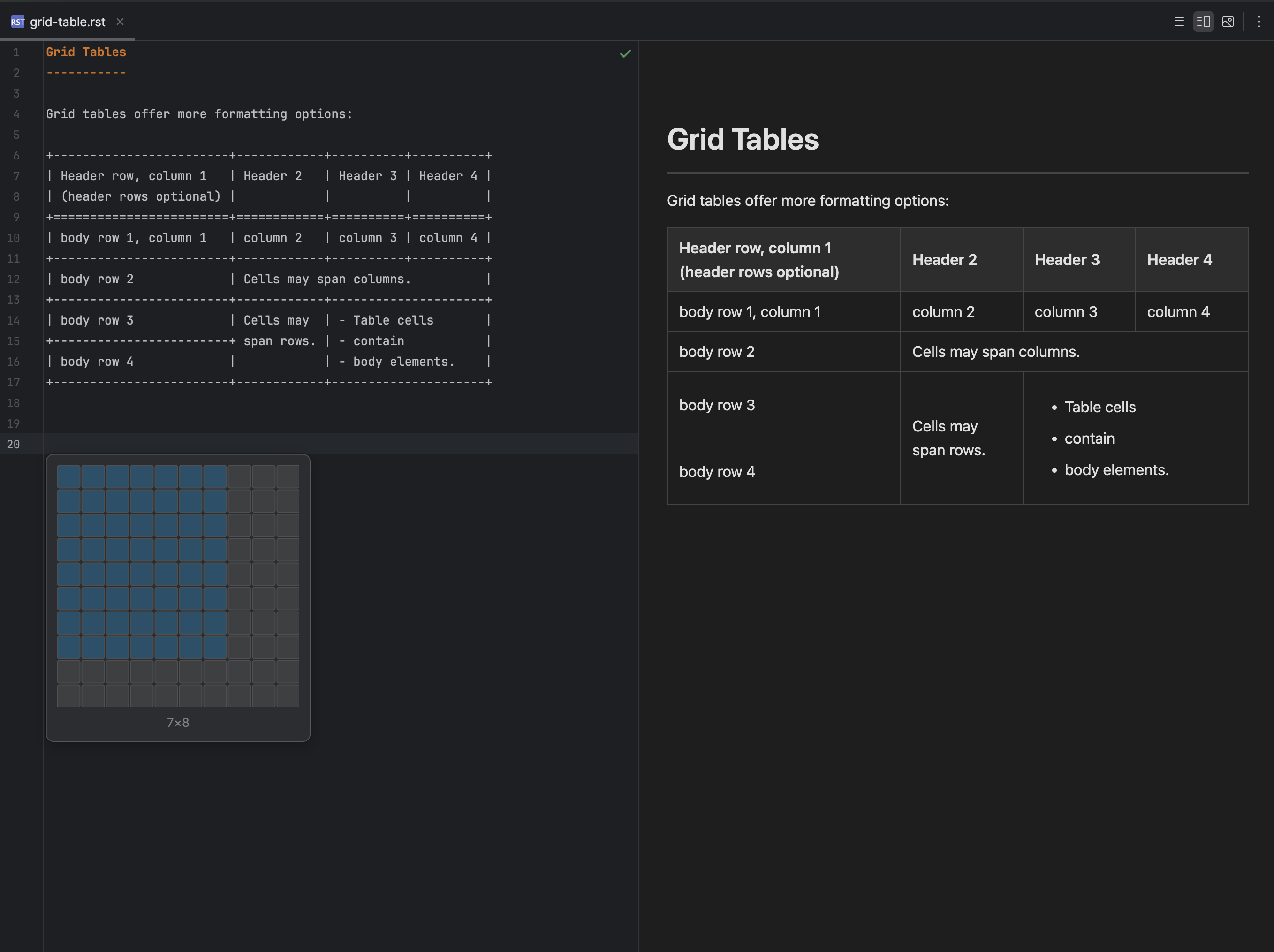
Grid tables can be inserted and edited alongside their rendered preview. Select the image to view it at full size.
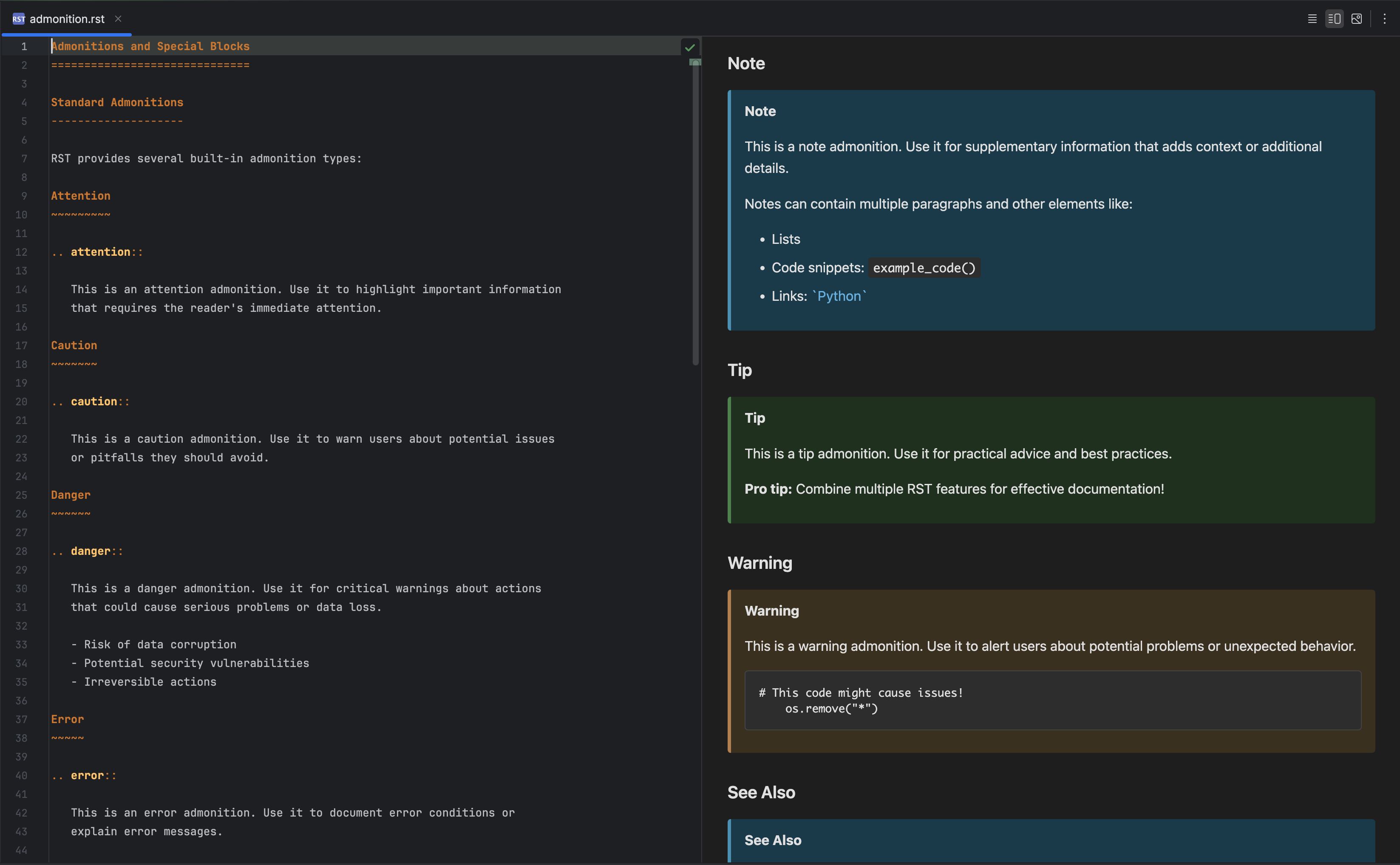
Admonition directives render as distinct blocks in the preview. Select the image to view it at full size.
Manual for version 2026.2.4 · Reviewed