Pinia state, getters, actions, and refs
Navigate store members and avoid treating actions as state refs.
On this page
Define a store#
In a configured Pinia app:
import { defineStore } from 'pinia'
export const useCounterStore = defineStore('counter', {
  state: () => ({ count: 0 }),
  getters: { doubled: state => state.count * 2 },
  actions: { increment() { this.count += 1 } },
})
Complete count, doubled, and increment on the store instance. Navigate a member to its declaration and inspect Find Usages across scripts and templates.
Preserve reactivity deliberately#
const counter = useCounterStore()
const { count, doubled } = storeToRefs(counter)
const { increment } = counter
storeToRefs provides reactive state/getter refs; an action is a callable function on the store. The documented release supports Pinia 4 and diagnoses invalid destructuring such as treating an action as a ref.
Inspect aliases and setup stores#
Member resolution also covers recognized destructured aliases and setup-store action aliases. Review the actual declaration when an alias obscures where state comes from. Object-form defineStore({ id, ... }) is supported in the documented release, alongside the project’s normal store style.
Diagnose a warning#
An unknown member can be a typo, wrong store import, or unsupported dynamic construction. An action-use warning may indicate that the action was referenced but not called. Inspect the expected argument shape, apply a focused fix if appropriate, and test the store behavior rather than merely suppressing the message.
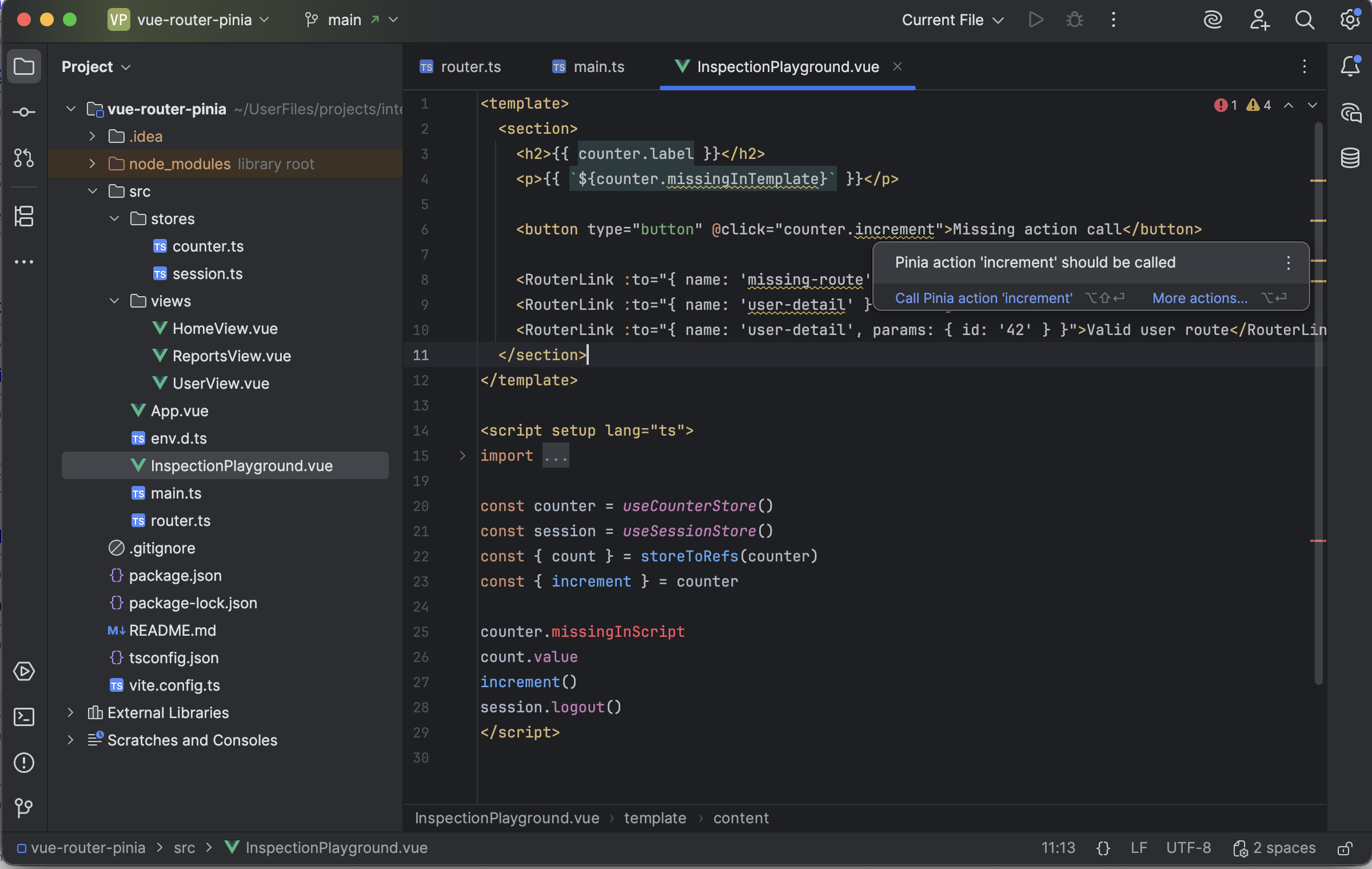
A Pinia action reference offers a quick fix to call the action. Select the image to view it at full size.
Manual for version 2026.2.3 · Reviewed