Nix editing, lint tools, and formatting
Understand local syntax assistance and external diagnostics on a small expression.
Edit a Nix expression#
Create example.nix:
let
  name = "review";
  unused = 42;
in {
  greeting = "Hello ${name}";
}
Inspect Structure view, navigate name to its binding, and use completion for native keywords/builtins. String interpolation and embedded shell contexts receive language-aware editing rather than plain brace matching alone.
Add external diagnostics#
Install/configure the selected nixd, nil, or Devenv server. Enable Statix or Deadnix only when their executables are available. unused is a useful controlled example for unused-binding analysis; inspect the provider and proposed removal before applying it.
Native inspections and server/lint diagnostics can overlap. Identify the source of a warning before disabling a whole group to remove one duplicate.
Format explicitly#
Choose the formatter and command under Nix → Formatting & Diagnostics. Run a manual format first, inspect the diff, then enable the plugin’s Format on Save if desired. In the documented release it works independently of IntelliJ’s own Reformat Code-on-save setting.
Refactor in scope#
Quick fixes can simplify recognized Nix constructs, such as suitable attribute assignments using inherit. Ensure the binding resolves to the intended lexical source before applying a structural rewrite. A syntactically valid expression can still fail evaluation because of missing inputs or system-dependent values; evaluate through the project’s normal Nix workflow.
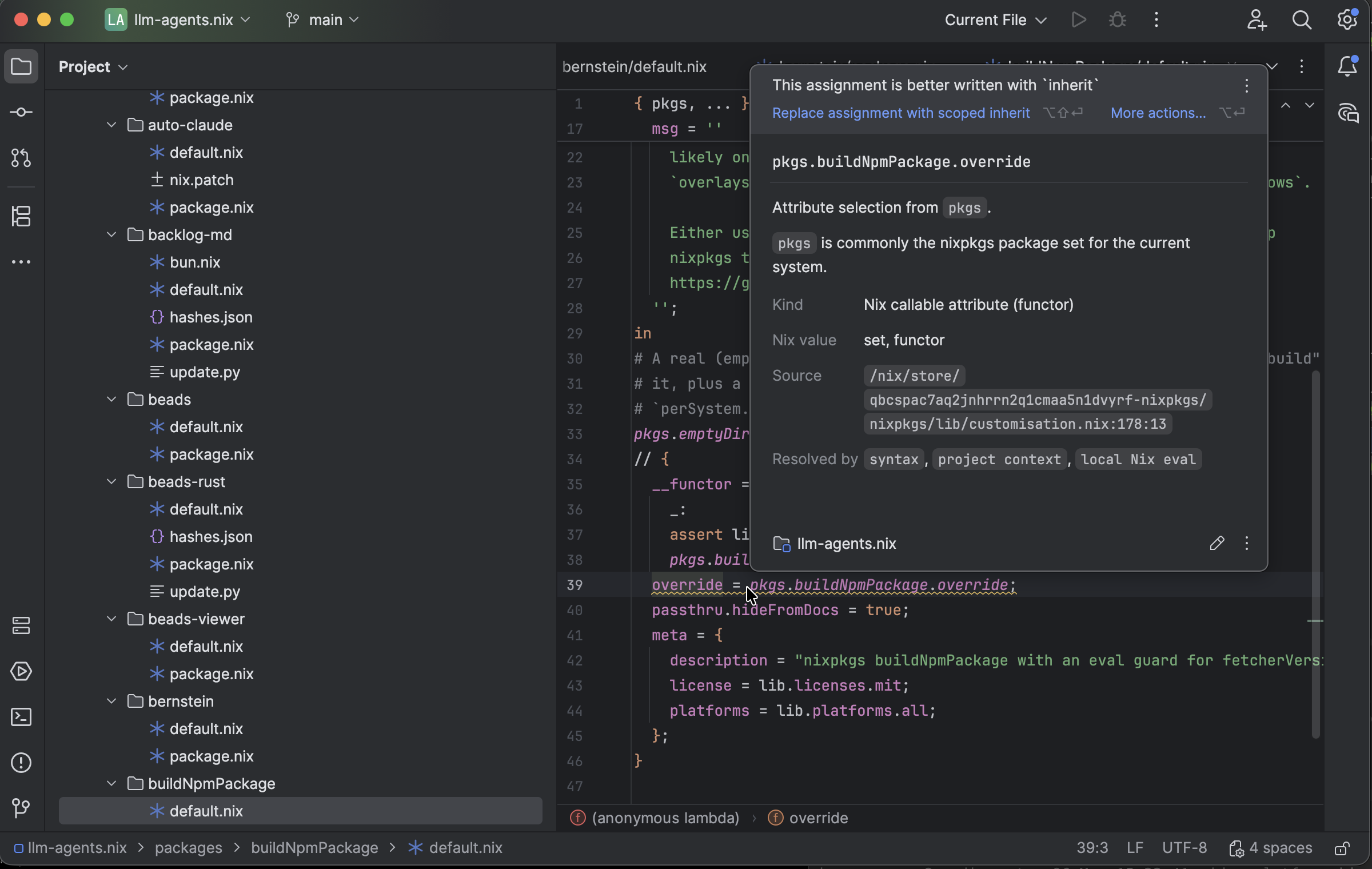
A scoped-inherit quick fix and package documentation are available at the Nix source location. Select the image to view it at full size.
Manual for version 2026.1.11 · Reviewed