Store paths, closures, and roots
Explain disk usage without mistaking a cleanup preview for deletion.
Inspect the store#
Open Tools → Nix → Nix Store Browser… and refresh. Select a path and compare its own size with its closure size. The closure includes referenced dependencies, so adding every row’s closure size double-counts shared paths.
Inspect roots/profiles to understand why a path is retained. Copy Path or Reveal helps inspect a specific item without guessing from a truncated label.
Follow dependencies#
Open a focused graph, select direction/depth, and inspect the relationship to nearby store paths. Why Kept explains reachability from roots; Why Depends investigates a dependency chain. Use a focused selection when the full graph is too dense.
A large closure is not automatically waste. A small package may share a large runtime with many other packages, and deleting one root may not make that runtime collectible.
Read Cleanup Preview#
The preview asks Nix for live/dead paths with print-only GC queries. It does not run garbage collection, remove GC roots, or delete paths. Treat its result as a point-in-time explanation of Nix reachability.
If you decide to perform cleanup later, do it through your normal Nix administration workflow after reviewing profiles and roots. The browser deliberately separates explanation from destructive store operations.
Diagnose an unexpected path#
Check root ownership, profile generation, direct references, and the selected graph direction. Refresh after changing profiles. Paths may remain live because a different profile or root still references them, even when your current project no longer uses them.
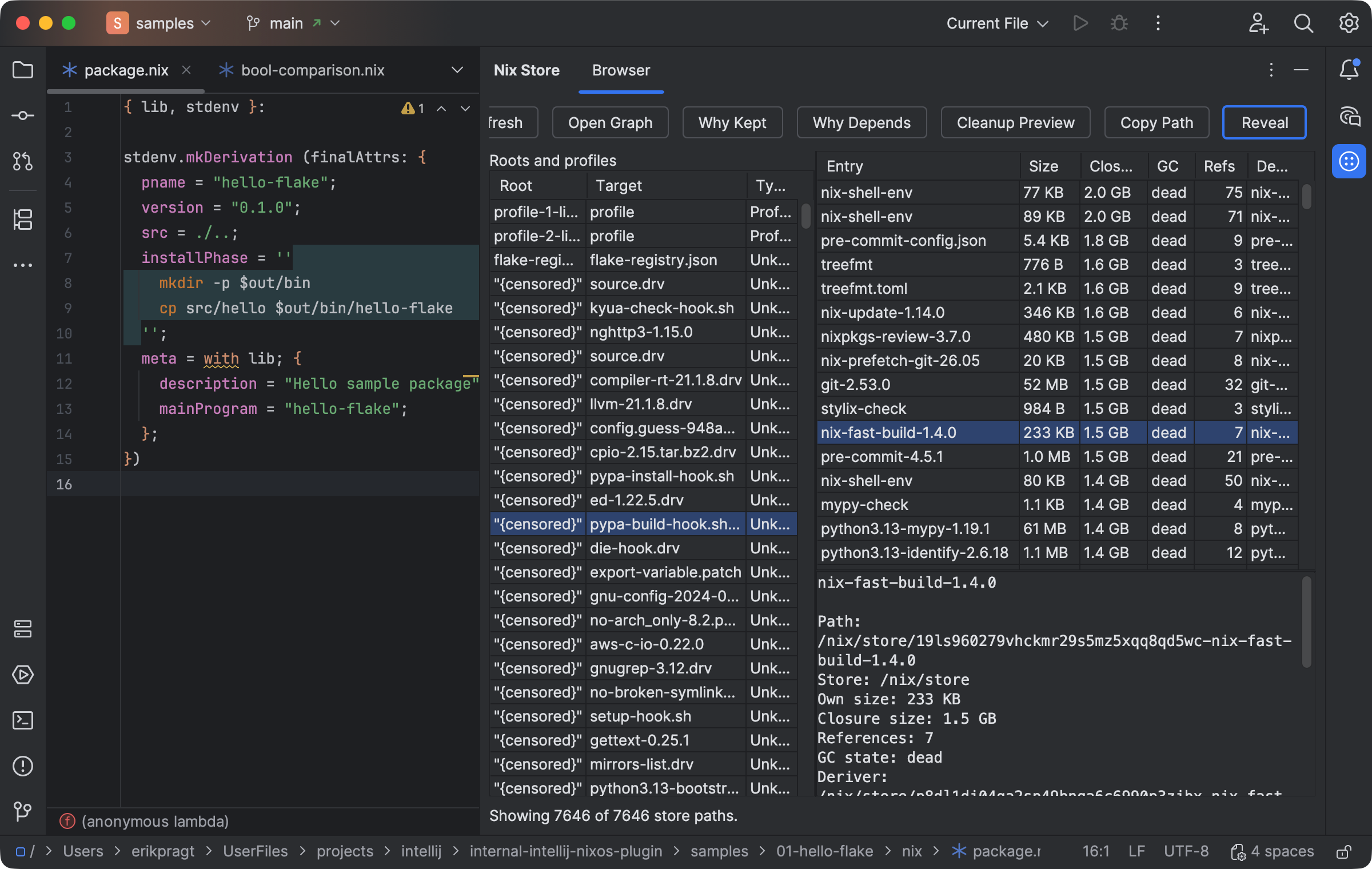
The Store Browser compares paths, closure size, roots, and cleanup-preview controls. Select the image to view it at full size.
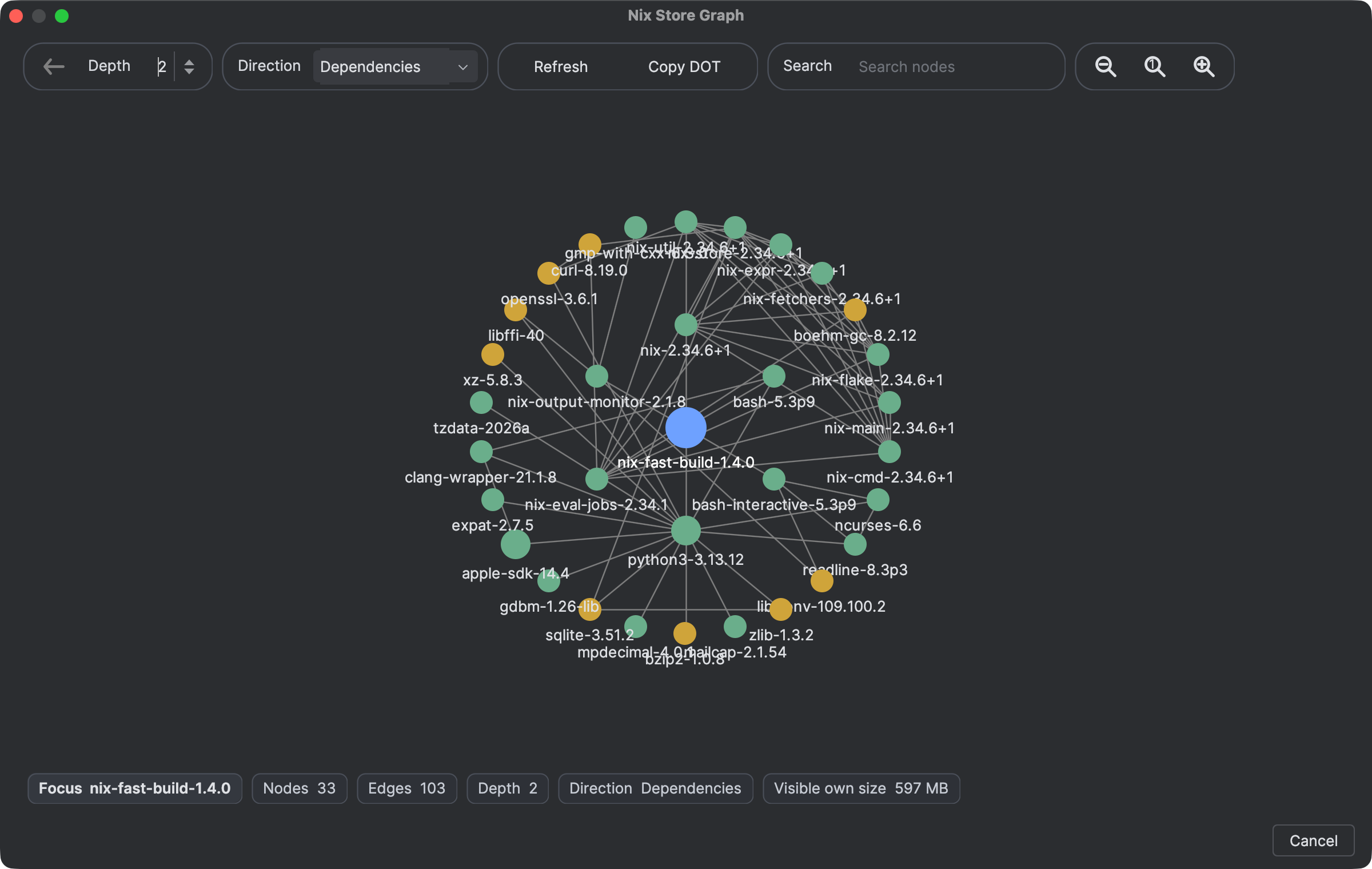
A focused dependency graph exposes shared paths and closure relationships. Select the image to view it at full size.
Manual for version 2026.1.11 · Reviewed