Security checks, gas, and storage layout
Combine editor warnings with external analysis and inspect storage slots.
On this page
Start with editor inspections#
The plugin highlights suspicious patterns and Solidity-specific errors while you edit. Review the context before applying a quick fix: a visibility, arithmetic, or access-control change can alter a contract’s external behavior.
Consider this deliberately incomplete example:
contract Configuration {
    address public owner;
    uint256 public fee;

    constructor() { owner = msg.sender; }

    function setFee(uint256 newFee) external {
        fee = newFee;
    }
}
Any caller can change fee. A warning about access control should lead to an explicit authorization policy and tests for permitted/forbidden callers. Do not treat adding an arbitrary modifier as a complete policy decision.
Run an audit tool#
Use Run Solidity Audit and inspect the Solidity Audit tool window. Configure the relevant external tools, including Slither/Solhint where used, and resolve their environment/dependency errors separately from findings in the contract.
Follow a finding to source, inspect its explanation, and test the chosen change. A clean static-analysis result is limited to the rules and paths those tools analyzed.
Inspect gas estimates#
Run Show Gas Estimation for the intended contract/compiler context. Compare estimates under matching compiler/optimizer settings. Runtime input and storage state can affect actual execution cost; use the project’s measurement tools for the transaction scenarios you care about.
Inspect storage layout#
Run Analyze Solidity Storage Layout and open the storage tool window. Read slot, offset, and type information together. When reviewing an upgrade, compare against the layout of the deployed implementation, including inherited variables.
Changing variable order or type can reinterpret existing state even when the contract compiles. Retain the original compiler/build settings and layout output for that comparison.
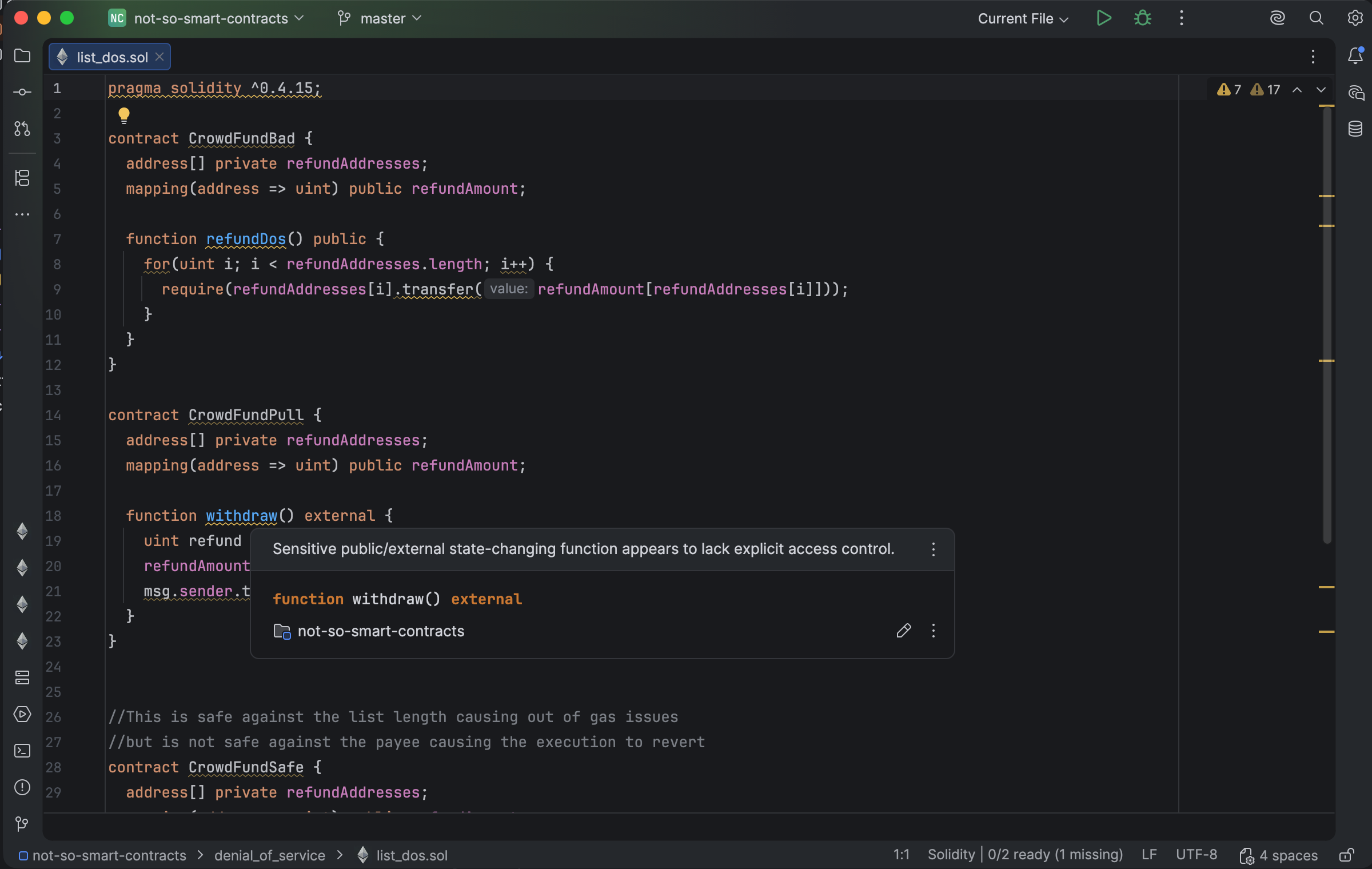
Security analysis reports contract findings with locations and descriptions. Select the image to view it at full size.
Manual for version 2026.2.3 · Reviewed