Compiler, Foundry tests, and debugging
Select solc, run Forge tests, and configure a DAP session.
On this page
Compile with the intended version#
Configure the Solidity compiler and open the Solidity Compiler tool window. The version must satisfy the file’s pragma and the project’s chosen build tool. A range such as ^0.8.20 permits multiple compiler versions; record the exact one used for reproducible results.
Compile and navigate diagnostics back to source. For example, a reference-type parameter in a modern contract needs an appropriate data location:
function lengthOf(string memory text) public pure returns (uint256) {
    return bytes(text).length;
}
The data-location quick fix is a source edit. Recompile to confirm it resolves the actual diagnostic.
Run Foundry tests#
Open a Foundry project with its dependencies installed. The plugin recognizes Forge tests in *.t.sol files and offers gutter execution. A test body might contain:
function testIncrement() public {
    Counter counter = new Counter();
    counter.increment();
    assertEq(counter.value(), 1);
}
This fragment assumes the file imports Counter and inherits the project’s forge-std/Test.sol test base. Run the selected scope and inspect the test tree/output. A runnable gutter does not install Forge or test dependencies.
Use project tool windows#
The Hardhat integration is for Hardhat-based projects; the compiler and Forge workflows do not replace its configuration. Confirm the working directory and network before executing a project task.
Prepare debugging#
Use Create Solidity DAP Launch File to create the launch configuration, then configure the required adapter and LSP4IJ debugger integration. The launch file is a starting point: paths, executable, transport, and arguments must match the adapter you actually installed.
Set a breakpoint, start a supported debug target, and confirm a stop in the expected source before relying on stepping. Successful compilation alone does not establish a working debugger connection.
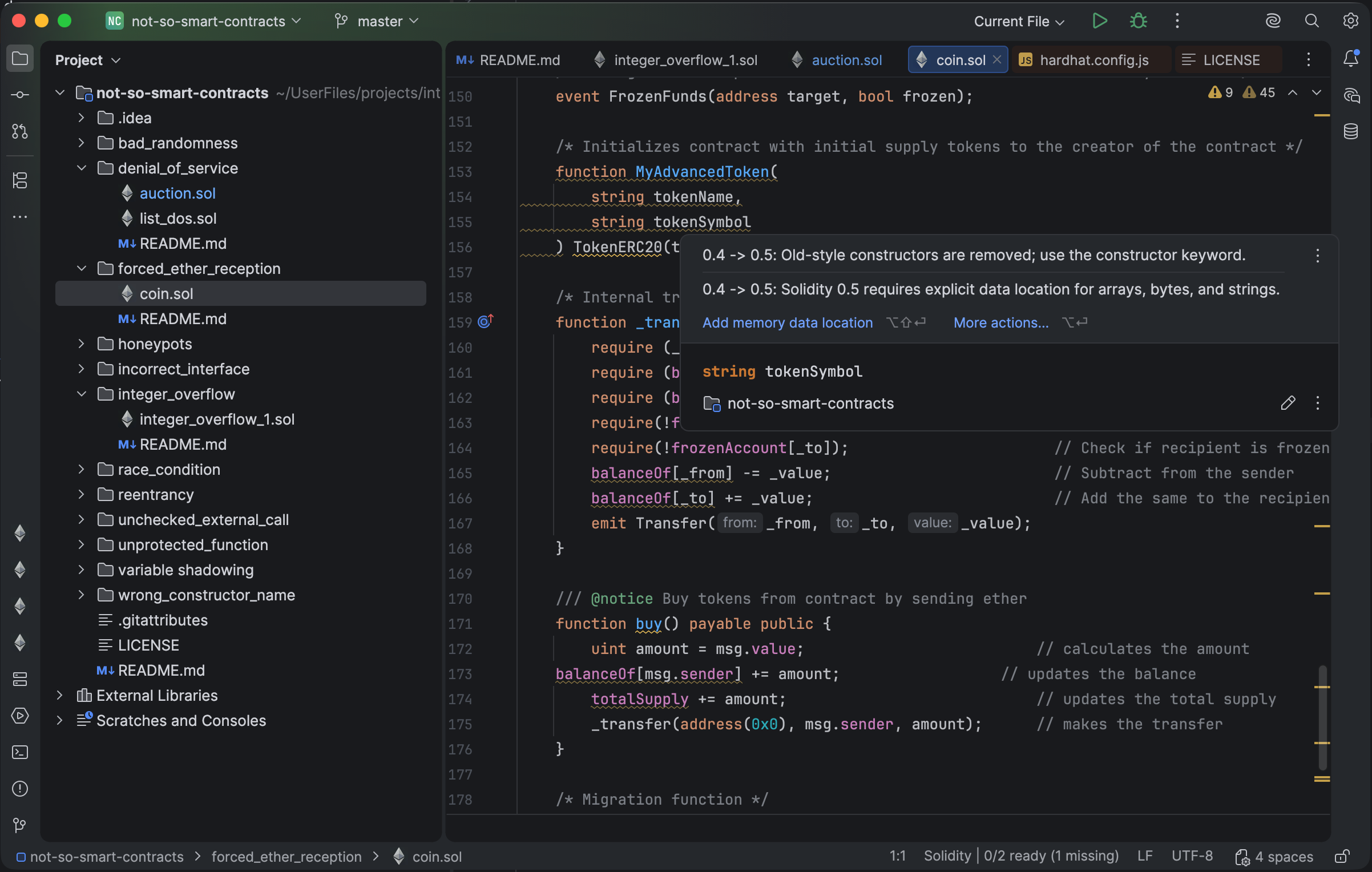
The editor offers a data-location fix for a reference-type declaration. Select the image to view it at full size.
Manual for version 2026.2.3 · Reviewed