Migration, flattening, and Etherscan
Review version migrations and exchange contract source with Etherscan.
On this page
Migrate a source file#
Use Migrate Solidity… to select a supported transition, or one of the current-file migration actions for Solidity 0.5, 0.6, 0.7, and 0.8. Review the changes before applying them and retain a clean source-control comparison.
For example, pre-0.8 code using SafeMath or assumptions about wrapping arithmetic needs semantic review when moving to checked arithmetic. A syntax migration cannot decide whether the application’s intended behavior is checked or unchecked.
After migration, select a matching compiler, rebuild, and run regression tests. Inspect interfaces, data locations, constructors, fallback/receive behavior, and dependencies affected by the target version. Do not infer behavior from the pragma alone.
Flatten for a specific consumer#
Use Flatten Solidity File on an entry contract with resolvable imports. Inspect the generated file for dependency coverage, pragma compatibility, and license information before sharing it. Keep modular sources as the maintainable project representation.
Flattening creates a combined source artifact; it does not compile, deploy, or prove equivalence to a previously deployed build.
Import an Etherscan contract#
Choose Import Contract from Etherscan, select the intended network/address, and review the fetched source and metadata. An address is network-specific. Match the imported compiler and dependencies before attempting to reproduce the build.
Verify a contract#
Use Verify Contract on Etherscan with the actual deployed contract’s network, address, compiler/optimizer settings, source, and constructor arguments. Different settings can produce different bytecode from visually identical source.
Read the verification response and inspect the resulting explorer entry. A submitted request is separate from successful verification. Keep project configuration and deployment artifacts together to make future verification reproducible.
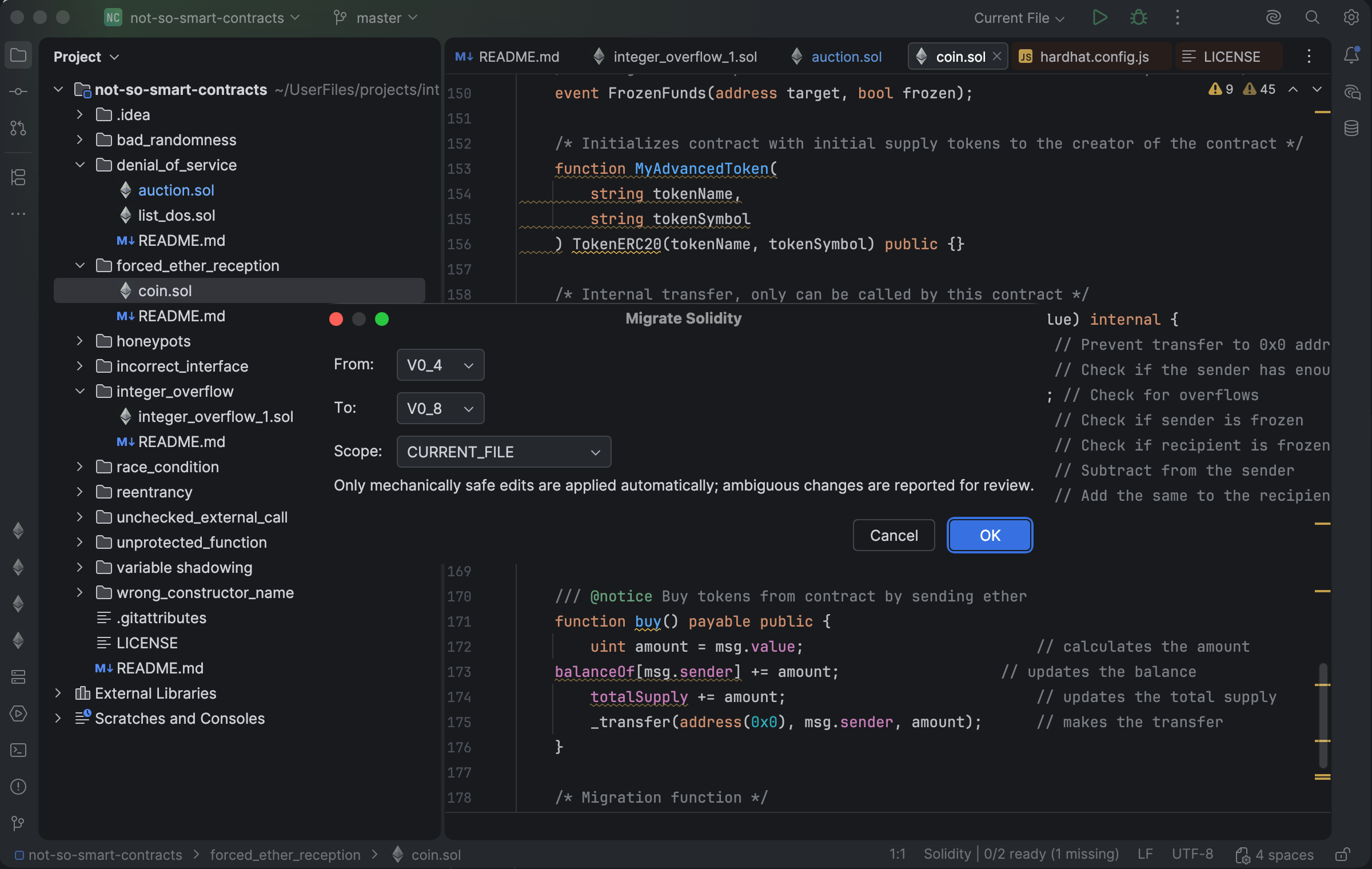
The migration dialog chooses the source and target Solidity versions before editing. Select the image to view it at full size.
Manual for version 2026.2.3 · Reviewed