File routes, usages, and route-tree health
Trace route declarations and diagnose generated-tree mismatches.
Navigate a file route#
In a React Router project, a route can use:
import { createFileRoute } from '@tanstack/react-router'

export const Route = createFileRoute('/speakers/$slug')({
  component: SpeakerPage,
})

function SpeakerPage() {
  const { slug } = Route.useParams()
  return <h1>{slug}</h1>
}
This fragment belongs in the route structure configured by the application. Select the app in TanStack’s tool window, then use Route Tree to open declarations and inspect loader/component/server badges.
Follow a route usage#
Invoke completion in a Link target or supported navigation call. Route Usages finds recognized Link, navigate, redirect, getRouteApi, preload, and declaration references. Navigate from a result to inspect supplied parameters.
<Link to="/speakers/$slug" params={{ slug: 'ada' }}>Ada</Link>A missing slug or a nonexistent route should be reviewed at its source. Replace a target temporarily in a scratch copy to see the inspection, then undo.
Check the generated tree#
Route Health compares source routes with generated-tree references and reports synced, missing, mismatched, or deleted entries. Run the application’s generator when stale. Do not hand-edit a generated tree as the lasting fix.
If the report is surprising, verify routes root, app selection, generation script, and current branch. A source route and a generated tree from different workspace apps can both be valid independently while disagreeing with each other.
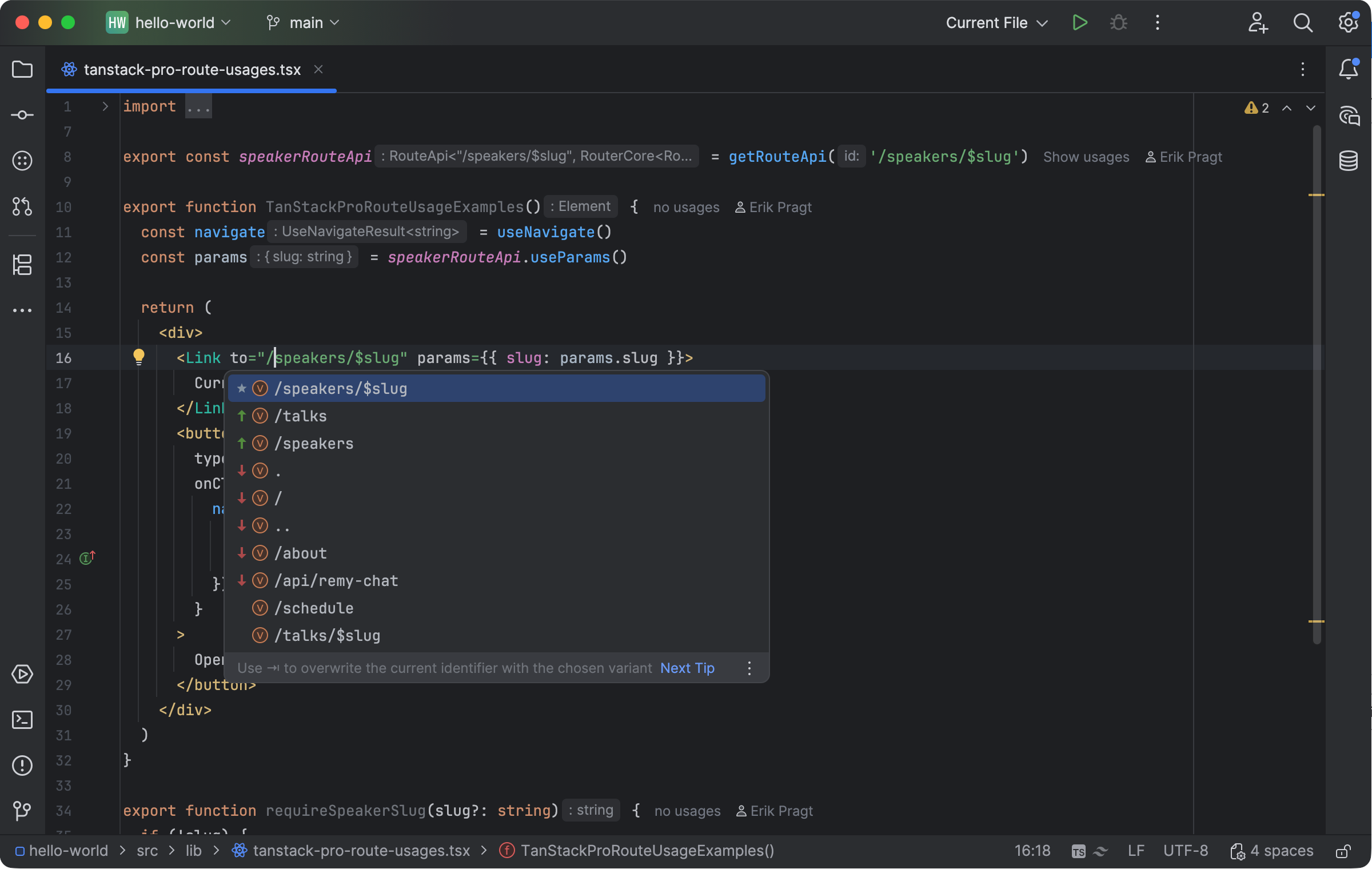
Route completion offers recognized TanStack application targets. Select the image to view it at full size.
Manual for version 2026.1.4 · Reviewed