Workspace detection and project creation
Select the intended app and review the official CLI command.
Open a monorepo deliberately#
TanStack Pro scans IDE content roots, root/nested manifests, package workspaces, pnpm workspace globs, route folders, generated route trees, and supported Vite/Rsbuild hints.
workspace/
  pnpm-workspace.yaml
  apps/
    dashboard/package.json
    storefront/package.json
Open View → Tool Windows → TanStack → Project and inspect each detected app’s package manager, routes directory, generated tree, packages, and config hints. A library package can be detected without being a runnable Start application.
Create a new project#
Choose File → New → Project → TanStack. Inspect framework, package manager, examples, adapter, and add-ons. The complete official CLI command is visible and editable before creation. Manual changes persist until Reset CLI command.
Advanced choices include template, toolchain, Git behavior, add-on JSON, and extra arguments. Network-backed example/add-on discovery happens when you use actions such as Refresh examples or List add-ons. Review returned options and destination instead of treating discovery as project generation.
Run the right package#
A generated or detected run configuration selects an app, package manager, script, environment, and arguments. Verify these before executing a command in a monorepo. Optional route generation before run should correspond to the selected app’s generator.
When browser opening is enabled, the plugin waits for recognized server-ready output. If no address is recognized, inspect the console rather than assuming the server failed solely because no browser opened.
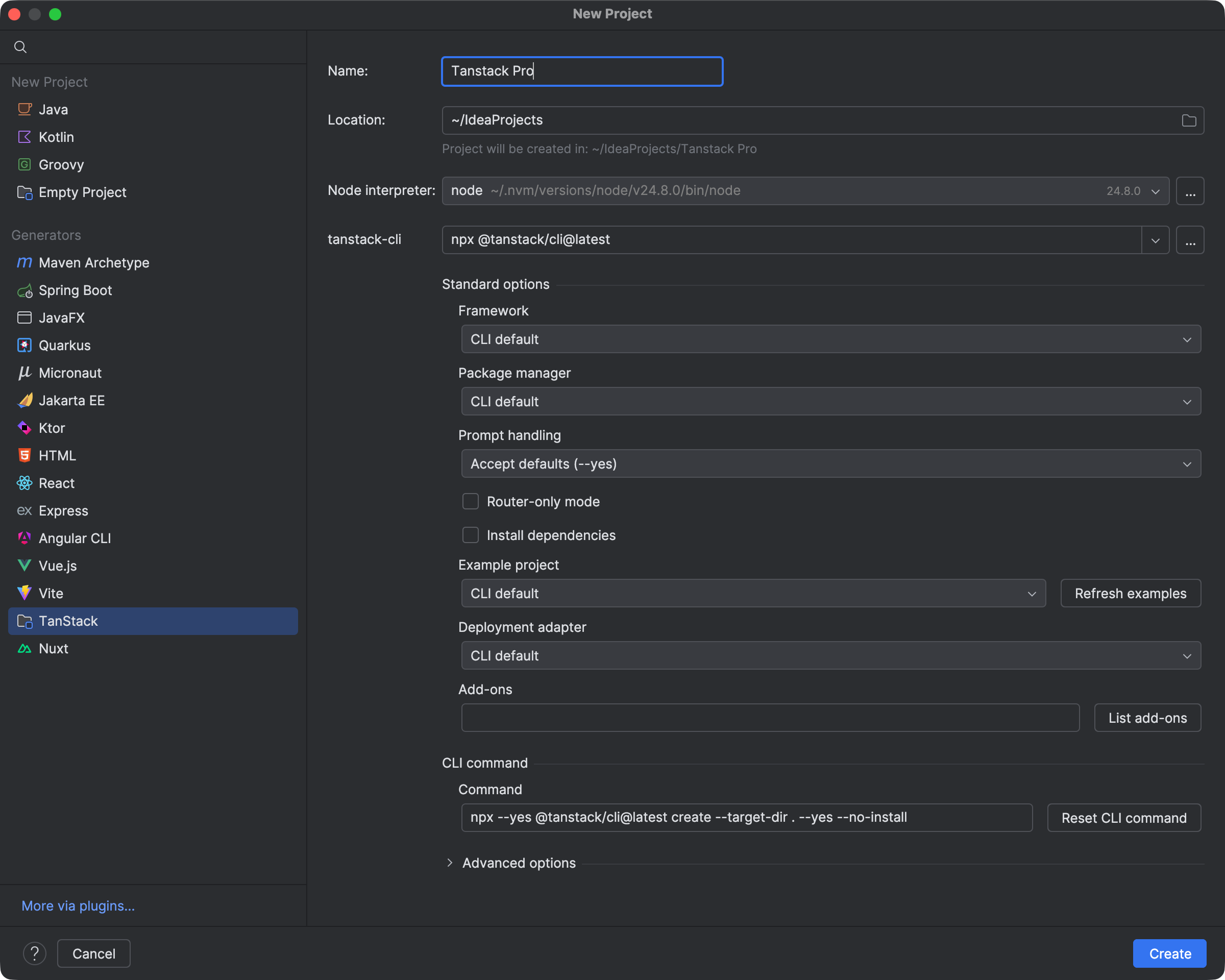
The TanStack wizard exposes standard options and the CLI command before creating a project. Select the image to view it at full size.
Manual for version 2026.1.4 · Reviewed