Tags, catalogs, and component resolution
Resolve local, relative, and package components in a Marko 6 project.
On this page
Start with a local tag#
In an existing Marko project, add src/tags/greeting/index.marko:
export interface Input {
  name: string
}
<h2>Hello ${input.name}</h2>
Use <greeting name="Ada"/> from a component in the appropriate tag-discovery scope. Invoke completion on the tag and Go to Declaration to verify the target. The Input interface provides a clear API for preview data and refactoring.
Inspect discovery rules#
Marko Pro discovers local tags, relative components, and installed-package tags through project configuration and marko.json catalogs. Custom tags-dir/components-dir locations can contain nested components. Use configuration completion and validation instead of assuming every .marko file anywhere in the repository becomes a global tag.
When a tag is unresolved, inspect spelling, imports/catalog, local scope, installed dependencies, and project indexing. A newly renamed package path can require dependency refresh as well as a source edit.
Keep syntax regions distinct#
Angle markup uses genuine HTML structure where appropriate, while Marko expressions, script, style, and concise syntax have their own contexts. Completion inside an expression is different from tag-name completion. Incomplete syntax can affect which region the editor recognizes, so fix nearby delimiters before reporting missing candidates.
Rename or move a component#
Use the IDE’s Rename/Move operations and inspect tag references across files. Renaming a component with a file manager can leave catalog or caller references stale. Reopen its callers and run the project build after a structural move.
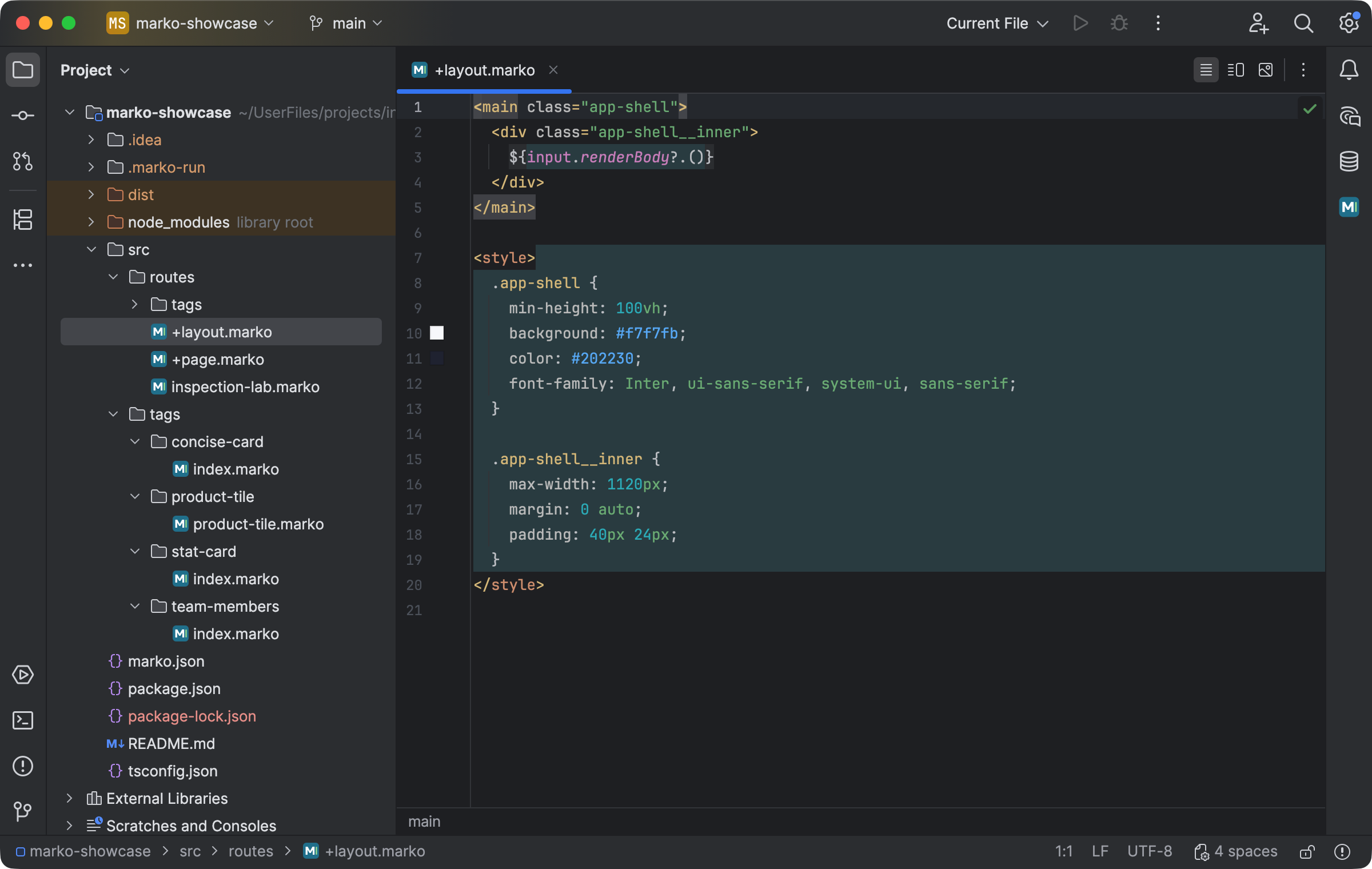
A Marko Run project with route files and discovered local tag directories. Select the image to view it at full size.
Manual for version 2026.1.3 · Reviewed