Configuration schemas and auto-import context
Complete Nuxt config using installed dependencies and inspect detected files.
On this page
Install the project schema#
Open the Nuxt workspace and install dependencies with its normal package manager. nuxt.config completion reads installed @nuxt/schema metadata when available and falls back to bundled options when it is absent.
export default defineNuxtConfig({
  devtools: { enabled: true },
  typescript: { strict: true },
})
Invoke completion in the config object and Quick Documentation on a known property. Check the installed version when an option is missing; a property valid in another Nuxt release may not be available here.
Edit related configuration files#
.nuxtrc receives key/value completion for supported Nuxt/Nitro options. .nuxtignore offers common output directories and patterns. These files have different syntaxes; a TypeScript object fragment does not belong in .nuxtrc.
Inspect workspace context#
The Nuxt Pro tool window shows the detected version, package manager, scripts, Vetur status, and indexed Nuxt files. Refresh after structural changes and inspect recognized auto-import locations such as supported shared/ directories.
A component supplied by an optional module should not be assumed present when that dependency is absent. For example, Nuxt Image component suggestions depend on the project using the module.
Keep generated types current#
Use the project’s Nuxt prepare/type-generation workflow after dependency changes. If config completion or framework types disagree, compare installed packages, lockfile, generated files, and active workspace root before changing application source to fit stale metadata.
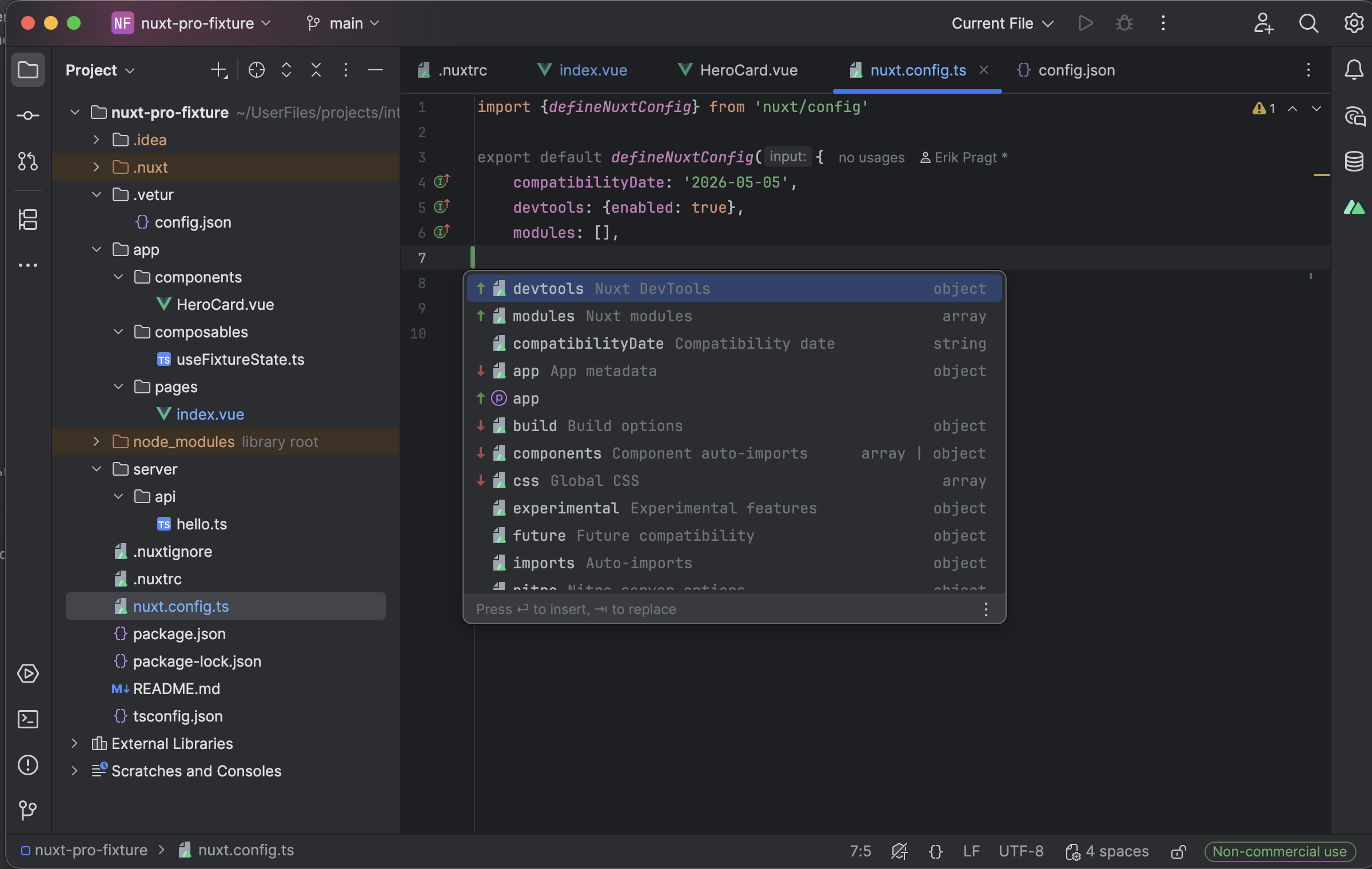
Nuxt configuration completion lists known properties and their types. Select the image to view it at full size.
Manual for version 2026.1.3 · Reviewed