Compiler diagnostics, Credo, Dialyzer, and formatting
Choose the source of a warning and apply the project’s formatter.
On this page
Distinguish diagnostic providers#
Native inspections, compiler output, Credo, Dialyzer, and Expert can report different problems. Before changing severity, identify which provider produced a message.
Native checks include ambiguous calls/parentheses, type-spec operator mistakes, missing module documentation, unused variables, deprecated calls, and unresolved module qualifiers. For example:
@spec total(integer(), integer()) :: integer()
def total(price, quantity), do: price * quantity
The type-spec return separator is ::. A mistaken : or = can receive a focused quick fix. Review the resulting source rather than adding suppressions around malformed syntax.
Refresh compiler diagnostics#
Use Tools → Elixir → Refresh Compiler Diagnostics or Show Compiler Diagnostics. These diagnostics come from the selected Mix/compiler environment. A missing dependency or compile error can prevent later analysis from running.
Configure external checks#
Credo needs its Mix dependency and project configuration; Dialyzer needs its configured tool and analysis environment. Use the Elixir settings child pages and run the same checks outside the IDE to diagnose provider startup separately from an editor warning.
Some checks can offer an inferred @spec when a provider supplies enough information. Treat it as a proposed contract: inspect argument and return types before accepting it as part of the public API.
Format consistently#
Use mix format Current File for an isolated edit or mix format Project for project-wide formatting across Mix roots. The project’s .formatter.exs controls external formatting. The internal formatter and mix format are different implementations; choose deliberately to avoid recurring formatting churn.
Run mix format --check-formatted in the project for a reproducible check. In an umbrella, verify which roots and formatter imports the project command includes.
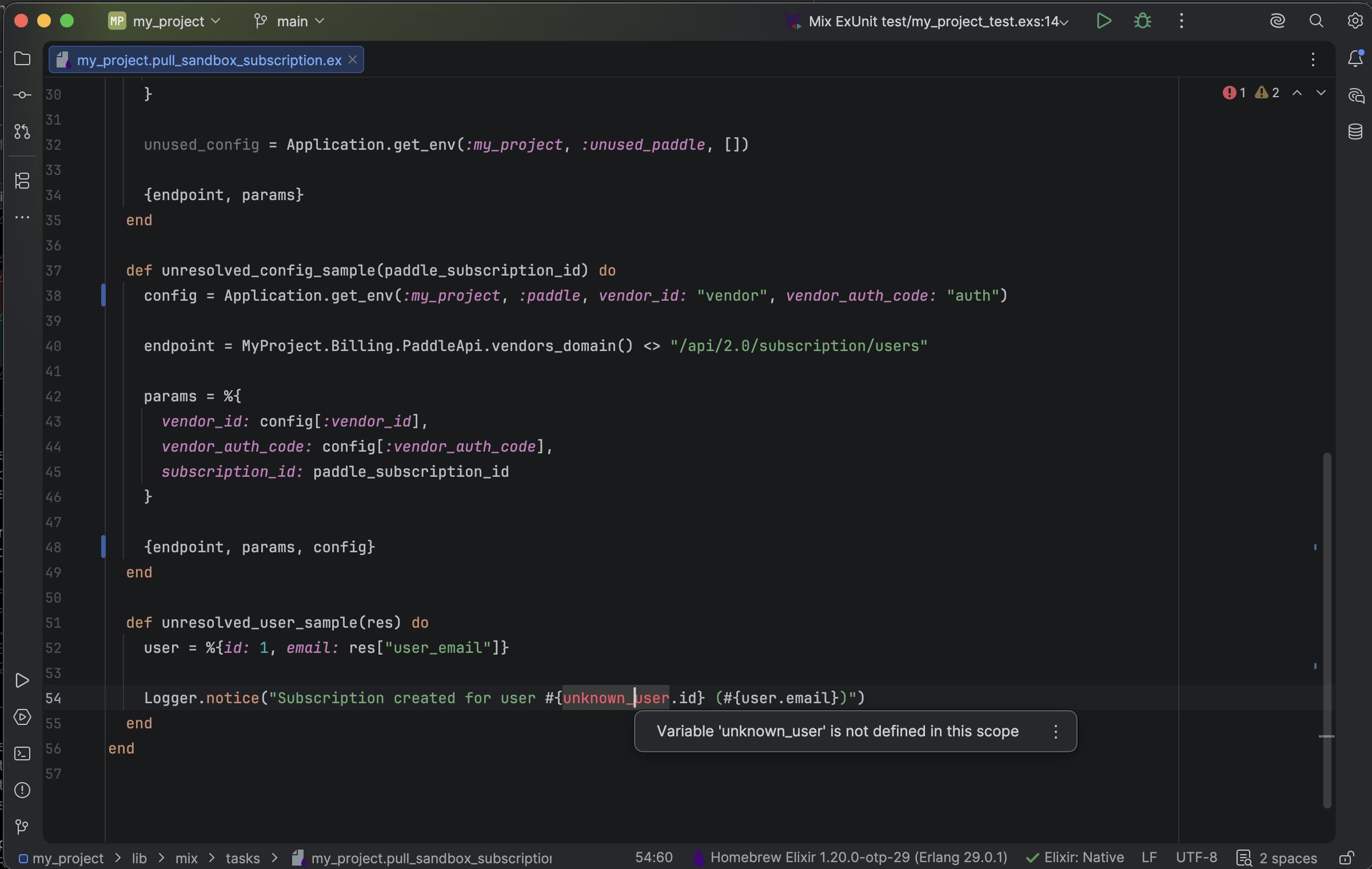
An unresolved variable is explained at its source location in the Elixir editor. Select the image to view it at full size.
Manual for version 2026.1.15 · Reviewed