Expert language server and provider health
Configure optional semantic assistance without confusing it with native analysis.
On this page
Choose a mode#
Open Settings → Languages & Frameworks → Elixir → Expert LSP. Select native-only analysis when you want to isolate native behavior, or Expert-assisted mode for the configured provider. Native parsing/navigation and external semantic diagnostics are separate capabilities.
Locate or install Expert#
Use Tools → Elixir → Install or Detect Expert LSP, or configure an executable override in settings. The settings support path discovery, startup flags, a project directory, auto-start, and managed installation/update preferences. Nightly releases are an explicit option; they are not the same baseline as a stable provider.
The startup transport normally uses --stdio. Use the Mix project directory appropriate to the workspace. A provider launched from a parent folder without the expected project can fail even when its executable runs.
Inspect health before changing code#
Use Show Expert LSP Health, Validate Expert LSP, and Show Tool Diagnostics. Check the chosen executable, environment, provider startup, and project association. After a configuration change, use Restart Expert LSP.
If diagnostics disagree with known project source, compare native indexing and compiler output. The settings include suppression of Expert module/struct errors when native indexing proves the declaration exists; turn that off when you need to see the provider’s unfiltered report during diagnosis.
Handle a large project#
Let project import and dependency compilation finish before concluding that completion is incomplete. Switching SDKs can invalidate provider assumptions; refresh SDK information and restart the provider after such a change.
A provider failure should not require deleting source or disabling all IDE inspections. Reproduce the issue in the small order workshop, capture health output, and include the provider version when reporting it.
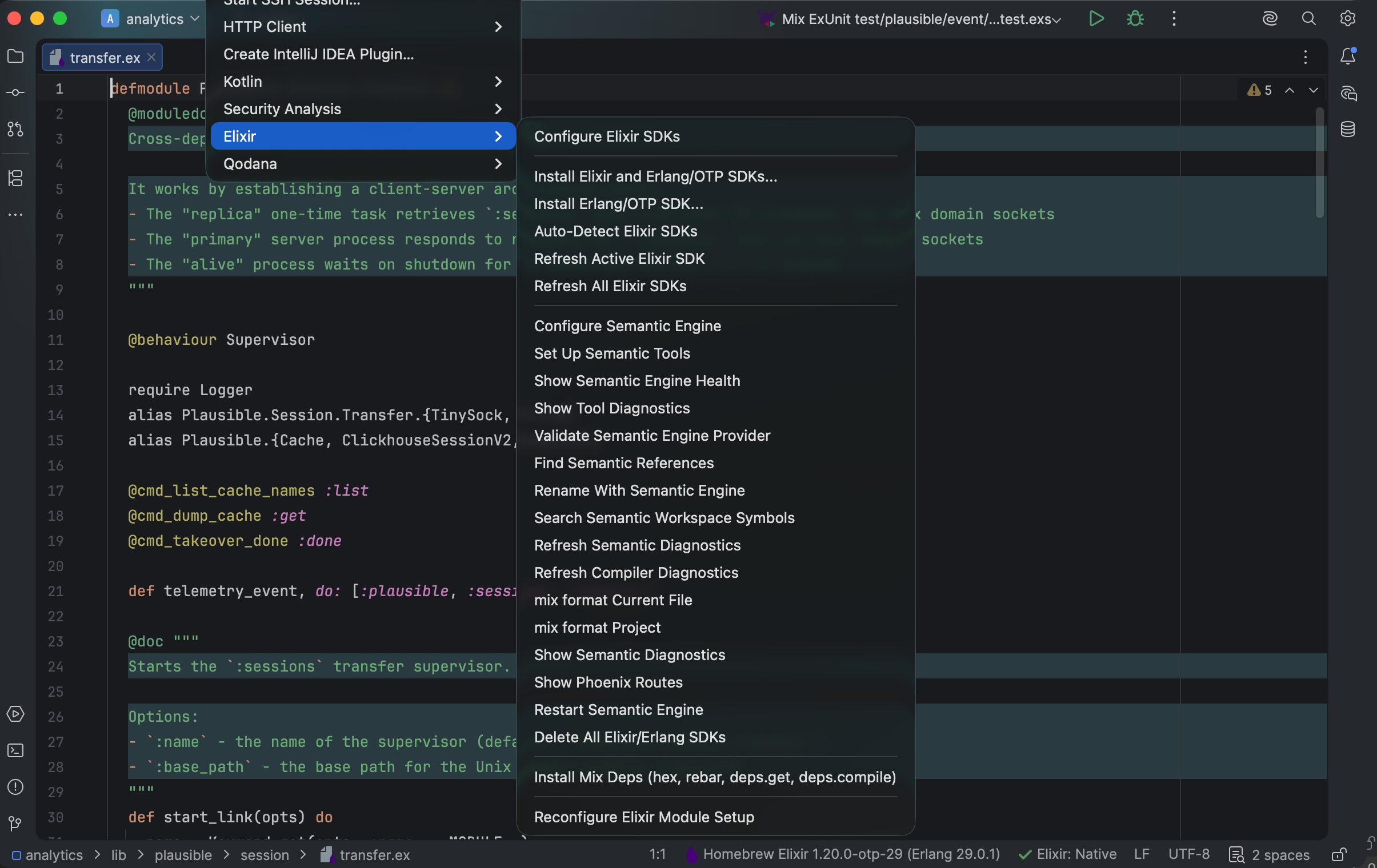
The Elixir tools menu groups SDK, diagnostics, formatting, semantic assistance, and route actions. Select the image to view it at full size.
Manual for version 2026.1.15 · Reviewed