Completion and native refactoring
Navigate types and safely rename, extract, or move Gleam declarations.
Follow a typed module API#
Create a module with a public type and function:
pub type Line {
  Line(price_cents: Int, quantity: Int)
}

pub fn total(line: Line) -> Int {
  line.price_cents * line.quantity
}
In another module, import it, invoke completion after the module qualifier, and use Go to Declaration on total and Line. Public declarations form the module’s API; private declarations are not automatically available to unrelated modules.
Rename one symbol#
Use Rename on total, inspect its references, and apply. Completion, Find Usages, Go to Symbol, and Structure view let you check related code without replacing every textual occurrence. Compiler-backed label navigation/refactoring depends on the selected compatible compiler.
Extract and move#
Use Extract Variable on an expression that is valid at the selection point. Review the introduced binding and evaluation order. Use the Gleam Move Module action when changing a module’s file location so import references can be updated. Keep file names and module paths consistent with Gleam’s package layout.
Choose a formatter#
Select the built-in two-space formatter or official gleam format in settings. The official formatter requires the compiler; native editing can still work without it. Reformat one file and review its diff before formatting an entire package.
After any structural refactor, run gleam check and the relevant tests. Native analysis gives fast feedback while editing, but the compiler validates the complete language and dependency context.
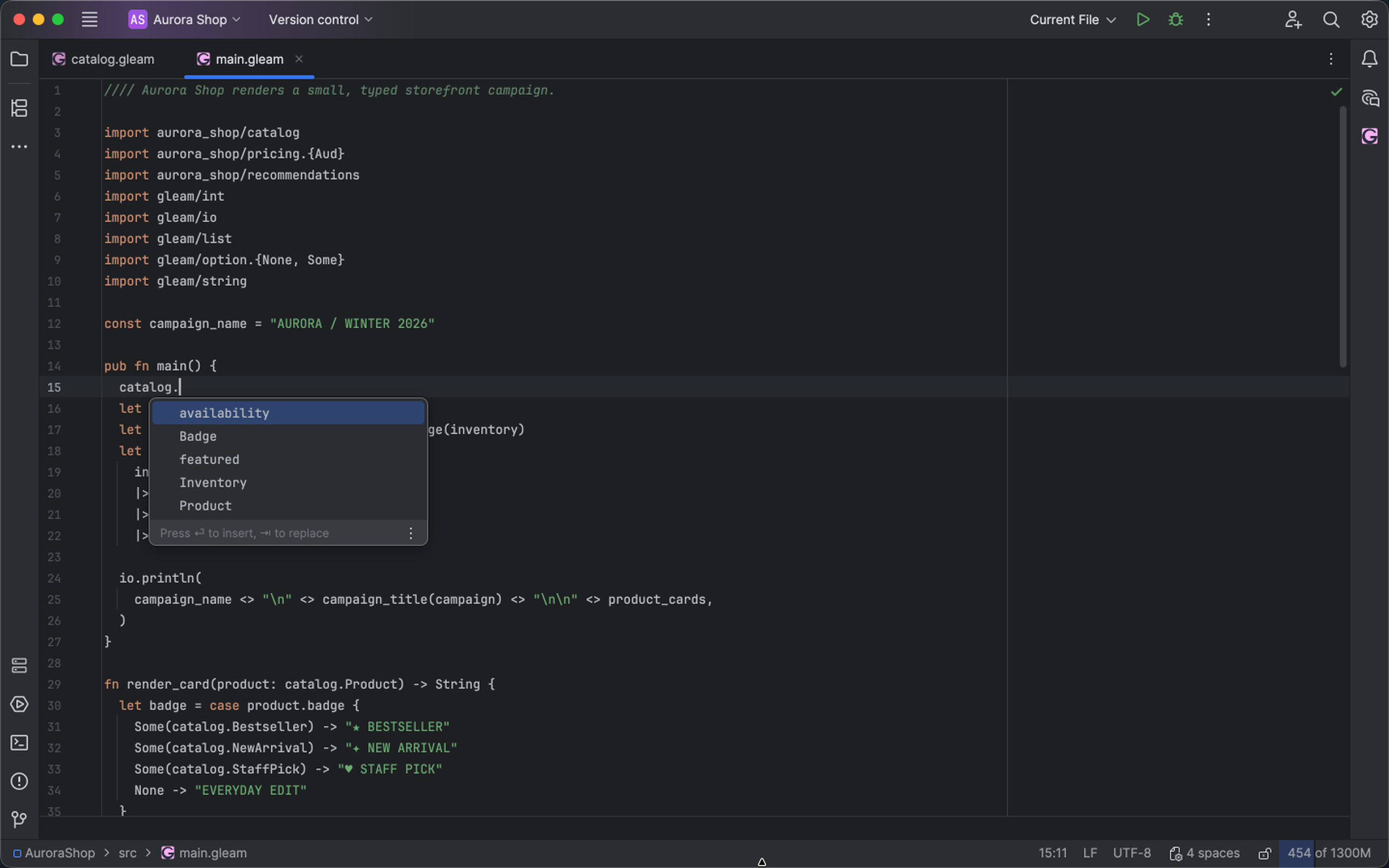
Completion offers typed declarations from an imported Gleam module. Select the image to view it at full size.
Manual for version 2026.2.4 · Reviewed