Focused tests and the native test tree
Run a single gleeunit test and interpret package/module results.
Use a valid test package#
In a package with gleeunit configured as a development dependency, a test module can contain:
import gleeunit
import gleeunit/should

pub fn main() {
  gleeunit.main()
}

pub fn total_test() {
  125 * 3 |> should.equal(375)
}
Open the test file and use its gutter action. Select the intended package and Erlang/JavaScript target in the resulting configuration. The runner reports package, module, and individual test nodes, timings, and source locations.
Verify a focused failure#
Temporarily change 375 to 376, run that test, and select its failed node. Navigate back to the assertion, undo, and rerun the focused case. Rerun failed tests only after confirming which original test set the result represents.
Understand the execution context#
The gleeunit-compatible runner uses a disposable shadow package instead of rewriting the user’s project. Compare compiler, target, runtime, package root, arguments, and environment if the IDE and terminal results differ.
The test tree does not make missing Erlang or JavaScript runtimes available. A failure before test nodes appear often indicates setup or compilation rather than a failed assertion. Start with a normal gleam test in the selected package to isolate that distinction.
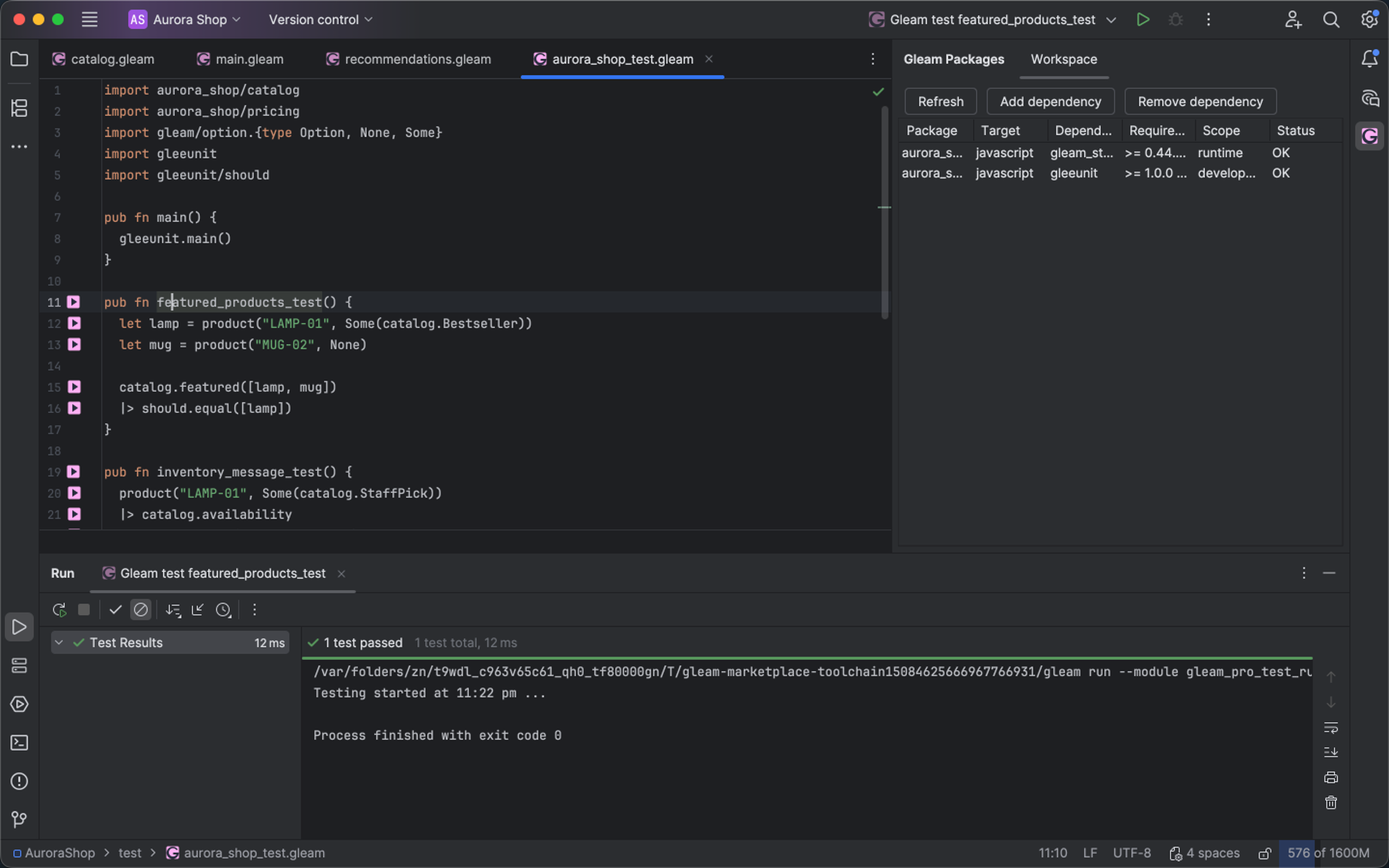
A focused Gleam test shows its native result and navigable source. Select the image to view it at full size.
Manual for version 2026.2.4 · Reviewed