Component extraction and shared theme values
Refactor complete elements while preserving property contracts.
On this page
Start with a complete element#
In a valid component, select one complete element subtree:
Rectangle {
  background: #237a72;
  height: 60px;
  Text { text: "Ready for review"; }
}
Choose Refactor → Extract Slint Component…. Review the proposed component name and typed properties promoted to inputs. The new exported component is inserted before its owning declaration and the selected subtree becomes an instance.
Identify dependencies before extracting#
An element can depend on outer IDs, properties, callbacks, functions, lets, writes, or two-way bindings. Those dependencies cannot all be passed safely through an automatically inferred input API. Partial/multiple-element selections and ambiguous types are also rejected.
Read the blocking source lines, simplify the boundary, and retry. A refusal leaves the file unchanged rather than performing a misleading partial extraction.
Share a visual constant#
Place the caret on a color or dimension literal and invoke Extract to global Theme. Inspect the typed in property and replacement reference. The operation reuses an existing exported Theme global or creates one, and supports Undo.
Use a semantic name such as an accent or spacing role instead of renaming every color occurrence indiscriminately. Rebuild/preview after changing the shared value to see which elements actually depend on it.
Navigate and rename#
Find Usages and Rename apply to supported components, properties, callbacks, aliases, and imports. Renaming an imported .slint file updates its import/export paths. Use Go to Super or inheritance gutters to inspect base components before changing an inherited API.
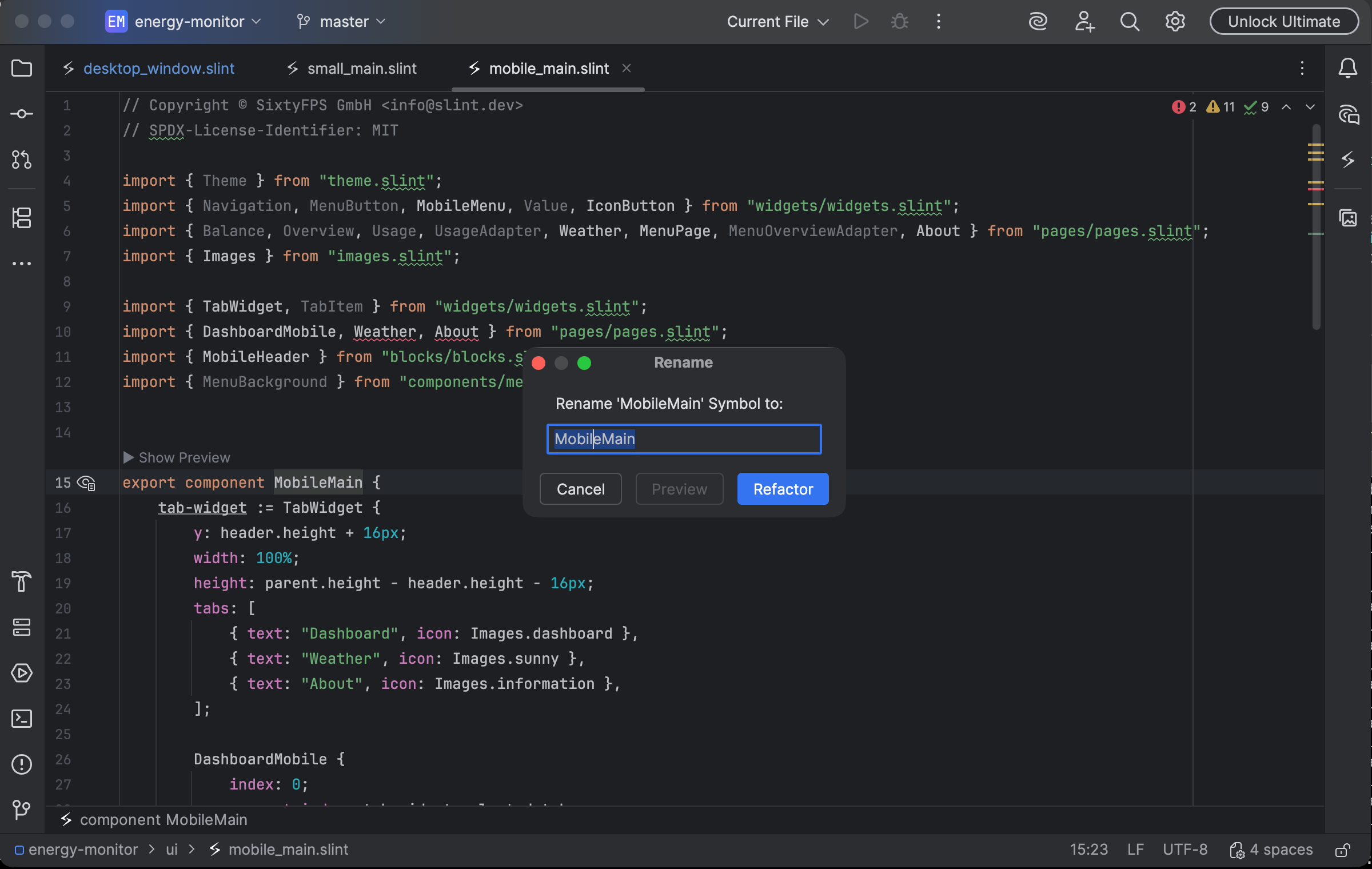
The Slint symbol-rename dialog reviews the component name before refactoring. Select the image to view it at full size.
Manual for version 2026.1.8 · Reviewed