Resources, inspections, and formatting
Resolve assets, fix imports, and keep structural checks distinct from compiler errors.
Resolve local assets#
Image and font references can provide gutter previews and Quick Documentation:
Image { source: @image-url("images/logo.png"); }The file must exist under a resolvable project/include/library root. Click its preview to open the asset, and use path completion rather than copying a machine-local absolute path into shared source. A broken asset path can make the Designer incomplete while the surrounding component still parses.
Fix imports with intent#
Unknown importable types can offer auto-import. Code → Optimize Imports removes unused bindings while retaining used names and aliases. Exact duplicate imports and self-imports have focused removal fixes; conflicting aliases need a deliberate choice.
Try duplicating a valid import in a scratch copy. Inspect the diagnostic and quick fix, then undo. Do not remove every similarly named import if different modules intentionally export different components.
Configure inspections#
Open Editor → Inspections → Slint for paths, duplicate declarations, unused imports/declarations, missing type imports, deprecated syntax, version mismatches, and conflicting bindings. Exported API declarations are treated differently from unused private declarations.
Color swatches cover literals and supported color calls/gradient stops. Customize lexical/semantic colors under Editor → Color Scheme → Slint; this changes source display, not the application’s own colors.
Format source#
Use LSP-backed formatting and Code Style → Slint indentation. Move Statement Up/Down operates on complete sibling element subtrees; Surround With can introduce supported layouts/conditionals. Inspect the actual source edit and compiler result rather than assuming a visually plausible rearrangement preserves bindings.
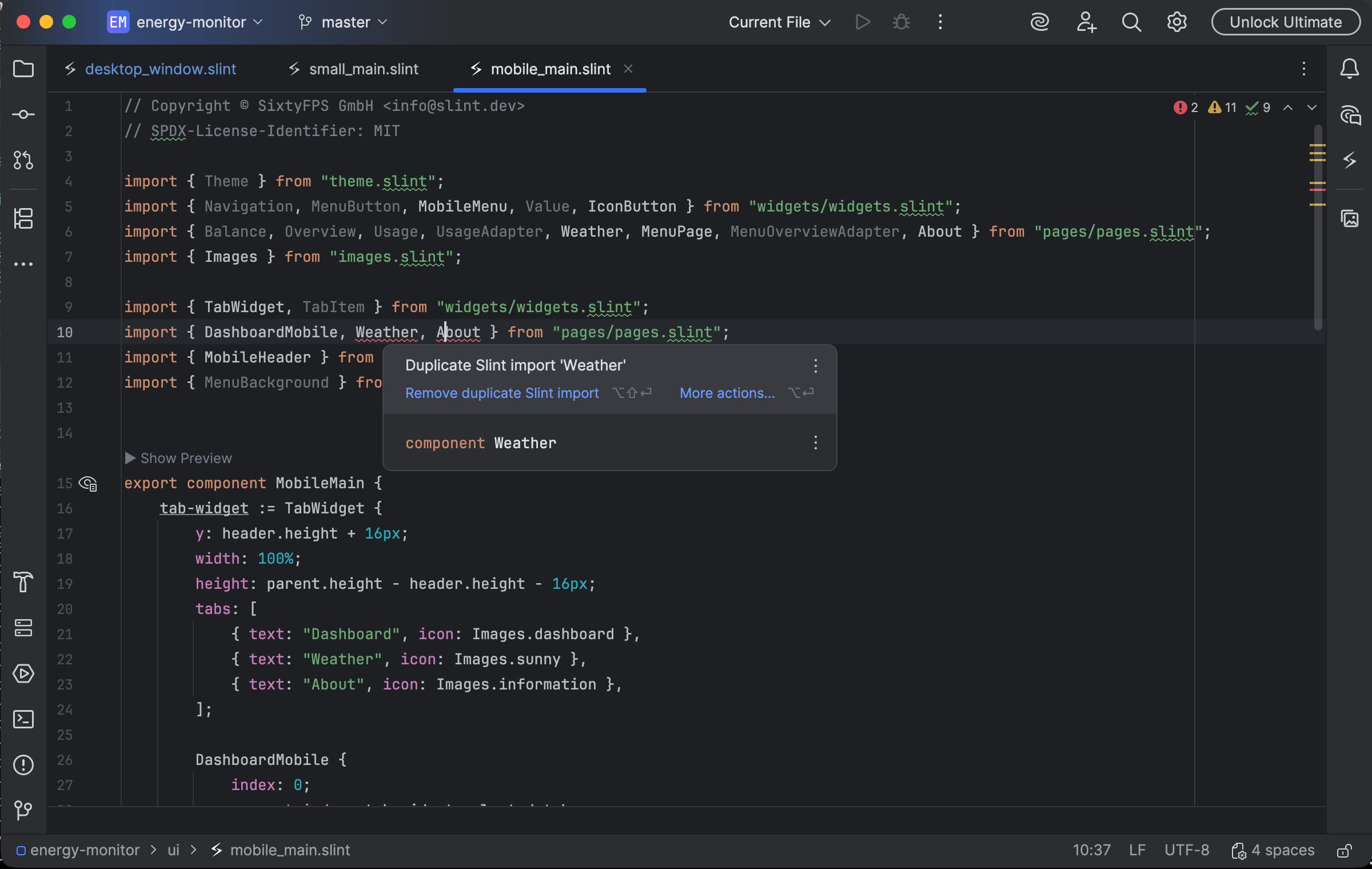
A duplicate Slint import offers a targeted removal quick fix. Select the image to view it at full size.
Manual for version 2026.1.8 · Reviewed