Accounts and service profiles
Connect an account and control which services the explorer loads.
On this page
Connect the intended account#
Open Settings → Tools → Cloudflare and add API-token or OAuth authentication. Select the account in the Toolkit for Cloudflare tool window and refresh resources. The account identifier matters when you belong to several organizations with similarly named resources.
Use a token with permissions for the services you intend to inspect. Authentication succeeding does not imply permission to read D1, deploy Workers, or list billing information. An authorization error in one service can coexist with working access to another.
Select a service profile#
A profile controls which service categories the explorer loads. Start with the services involved in your task, such as Workers, D1, and R2, rather than treating a hidden category as evidence that a resource does not exist. Show unused services controls the visibility of empty categories.
Enable AI or MCP categories in their settings and active profile before expecting them in the tree. Refresh after changing a profile. The plugin can show services without provisioning resources for you.
Understand editor ownership#
A resource dashboard retains the account and resource it was opened for. Switching the explorer to account B does not silently retarget an already-open D1 editor from account A. Check the dashboard identity before issuing a query or modifying a resource.
For a reproducible support report, record the plugin version, account authentication method, service profile, selected service, and failing action. Describe an API permission failure separately from a resource that has not been enabled in the profile.
Local versus remote#
Local Dev discovers supported Wrangler configuration and bindings. A local D1 database or KV namespace can share a binding name with a remote resource; the names alone do not identify the environment. Use local development and observability to follow a request from the project to its actual runtime.
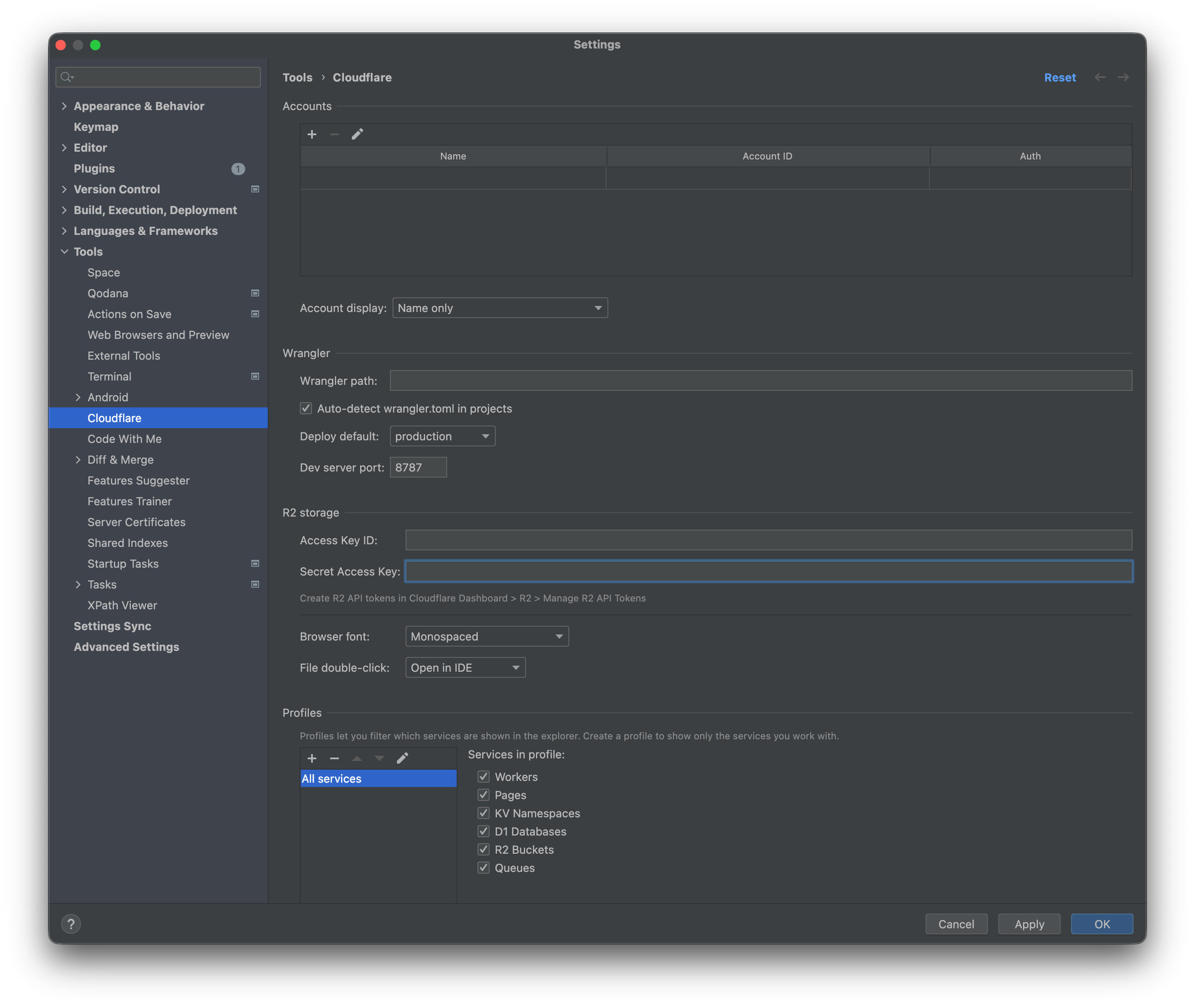
Cloudflare settings configure accounts and the services exposed in the explorer. Select the image to view it at full size.
Manual for version 2026.2.7 · Reviewed