KV, R2, and Queues
Inspect key/value data, browse objects, and send a test queue message.
Browse a KV namespace#
Open the namespace belonging to the intended binding. Search/filter keys, inspect a value, and check its metadata or expiration where available. Keys are names within a namespace, not paths in a filesystem.
For a small development value, use a recognizable key and JSON body:
{"theme":"dark","pageSize":25}Create or edit through the namespace panel, then read the key again. A JSON-looking value remains the bytes your application reads; it does not become a typed object until the application decodes it. Review the namespace/key before deleting a value.
Work with R2 objects#
Open a bucket and browse its prefixes. Select an object to inspect details and a supported preview. Upload/download actions and drag-and-drop provide convenient transfers; verify the destination object key before replacing an existing object.
An object such as manuals/quickstart.pdf has a key with a prefix, not an independently managed local directory. After upload, refresh and inspect size/content information. Download a copy when you need to compare the bytes with the original.
Inspect a queue#
Open a queue to review consumer configuration and queue settings. Send a small test message through the queue panel, using an application-recognized payload such as:
{"type":"docs.test","orderId":"demo-001"}The example requires a consumer that understands this shape. Sending successfully confirms acceptance, while consumer logs or application state confirm processing. Queue delivery and downstream work happen separately.
Resolve mismatched environments#
Match the dashboard resource ID to the Wrangler binding for the intended environment. A successful write to a development namespace will not appear in production, even when both bindings are called SETTINGS. Use Workers logs to inspect the application that actually consumes the data.
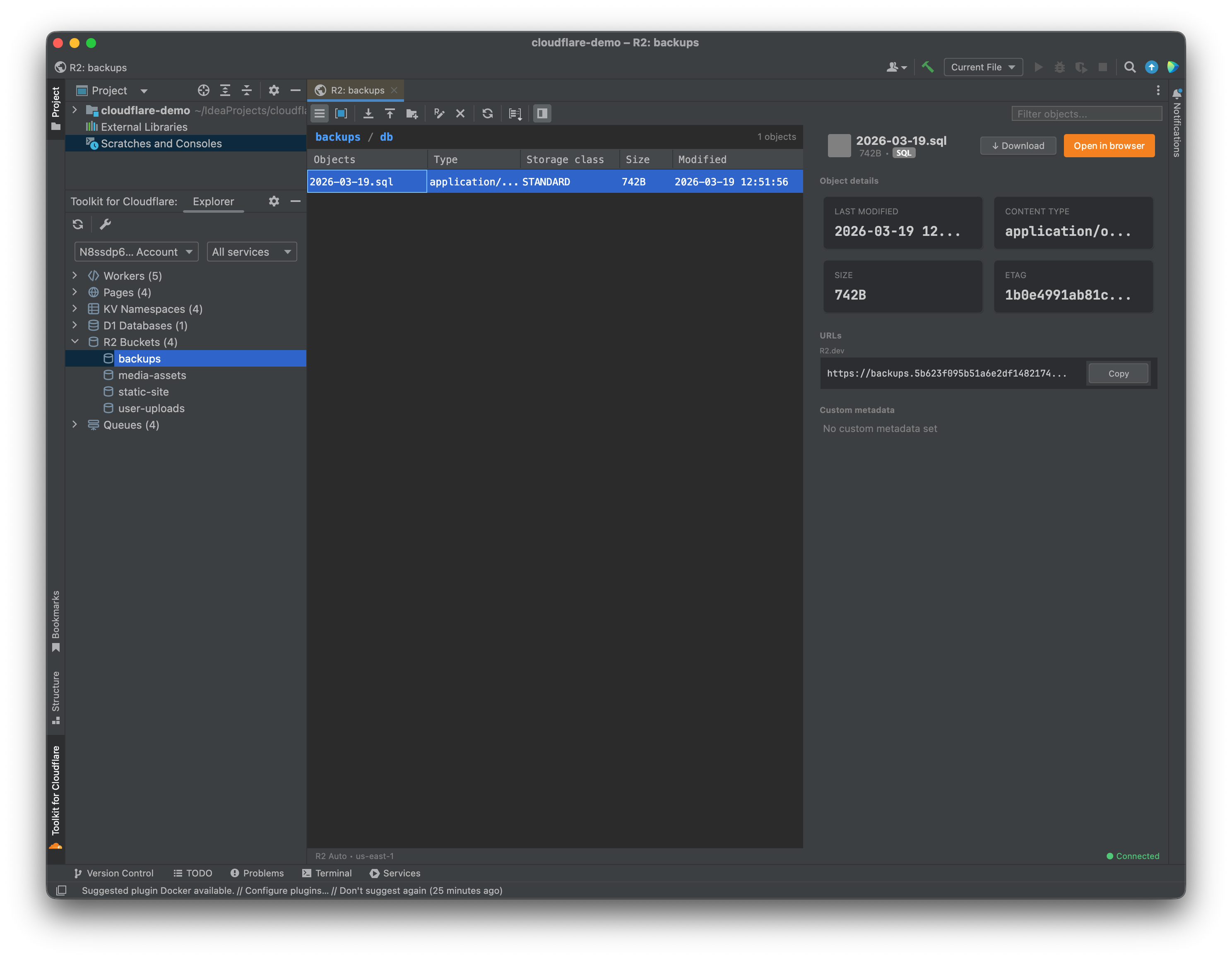
The R2 browser shows object keys, details, and supported previews. Select the image to view it at full size.
Manual for version 2026.2.7 · Reviewed