D1 queries, rows, and schema diagrams
Explore a D1 database with SQL completion and an entity-relationship view.
Confirm the database#
Open a D1 database from the explorer and inspect its identity. A remote editor is associated with the account that opened it. Local Wrangler D1 state is a separate environment.
Start with a read-only query that exposes the schema:
SELECT name, sql
FROM sqlite_schema
WHERE type = 'table'
ORDER BY name;
Run the selection or statement through the SQL editor. Review returned columns and row counts before building a larger query. Completion uses the selected database’s schema; refresh when tables were created elsewhere.
Query related data#
For an application with customers and orders, adapt this example to the real columns:
SELECT c.id, c.email, COUNT(o.id) AS order_count
FROM customers AS c
LEFT JOIN orders AS o ON o.customer_id = c.id
GROUP BY c.id, c.email
ORDER BY order_count DESC
LIMIT 20;
The example assumes those tables exist. A missing-table error should lead back to schema inspection, not repeated execution against another database with the same display name.
Inspect structure visually#
Open the schema/ER view to examine tables, keys, and relationships. Use it alongside SQL to understand the modeled structure. An ER line represents schema metadata; it does not prove that every row satisfies your application’s rules.
Edit a row deliberately#
The row editor supports structured values, including JSON-oriented editing. Review the selected row, primary-key identity, changed fields, and update outcome. Re-query the row to confirm what was stored. Opening the editor or changing a form field is different from applying a database mutation.
For data-loading workflows, test against a development database first and retain the SQL or source data needed to reproduce the operation. The plugin is a database client; deployment migrations still belong in the project’s migration workflow.
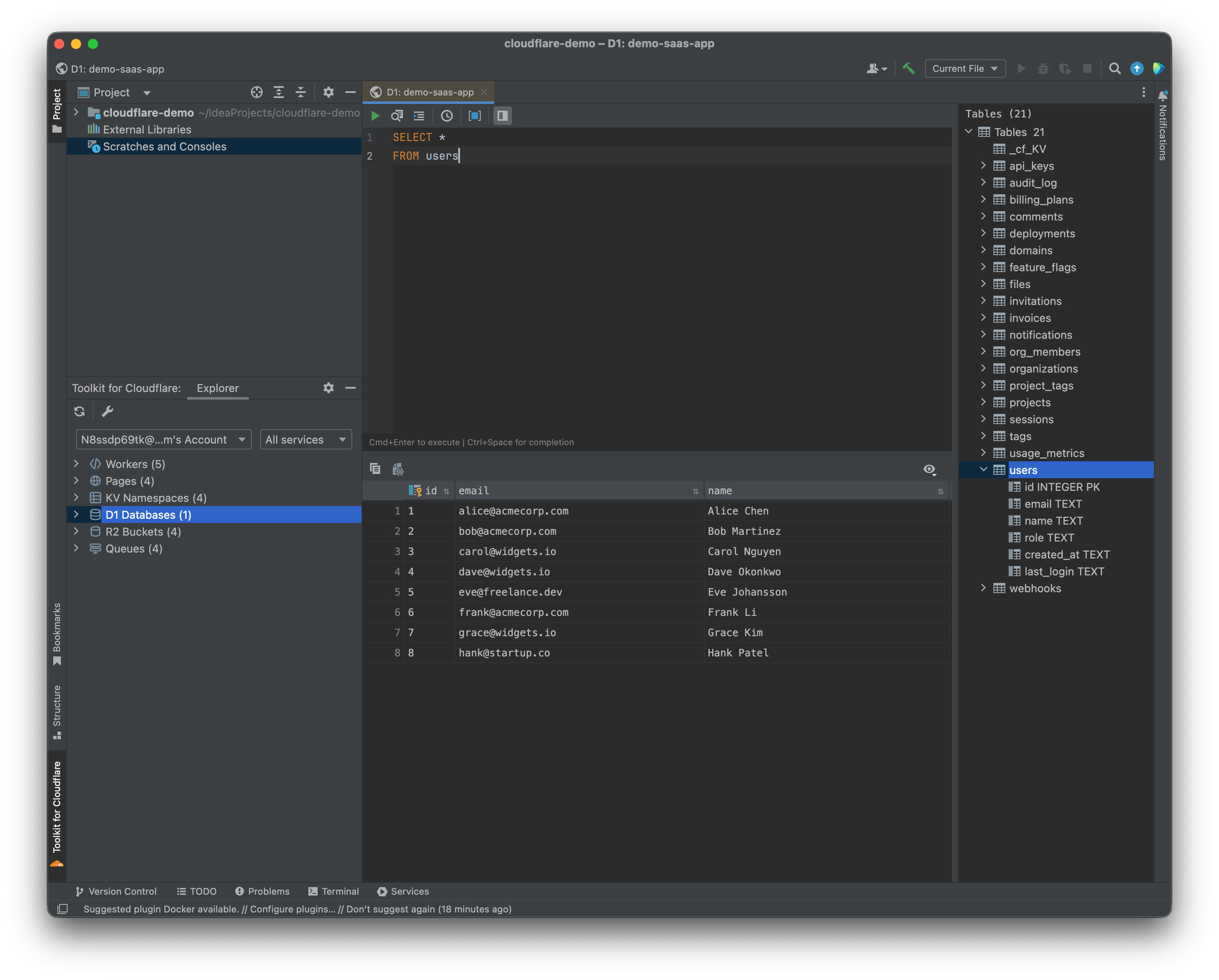
D1 SQL editing combines schema navigation and tabular query results. Select the image to view it at full size.
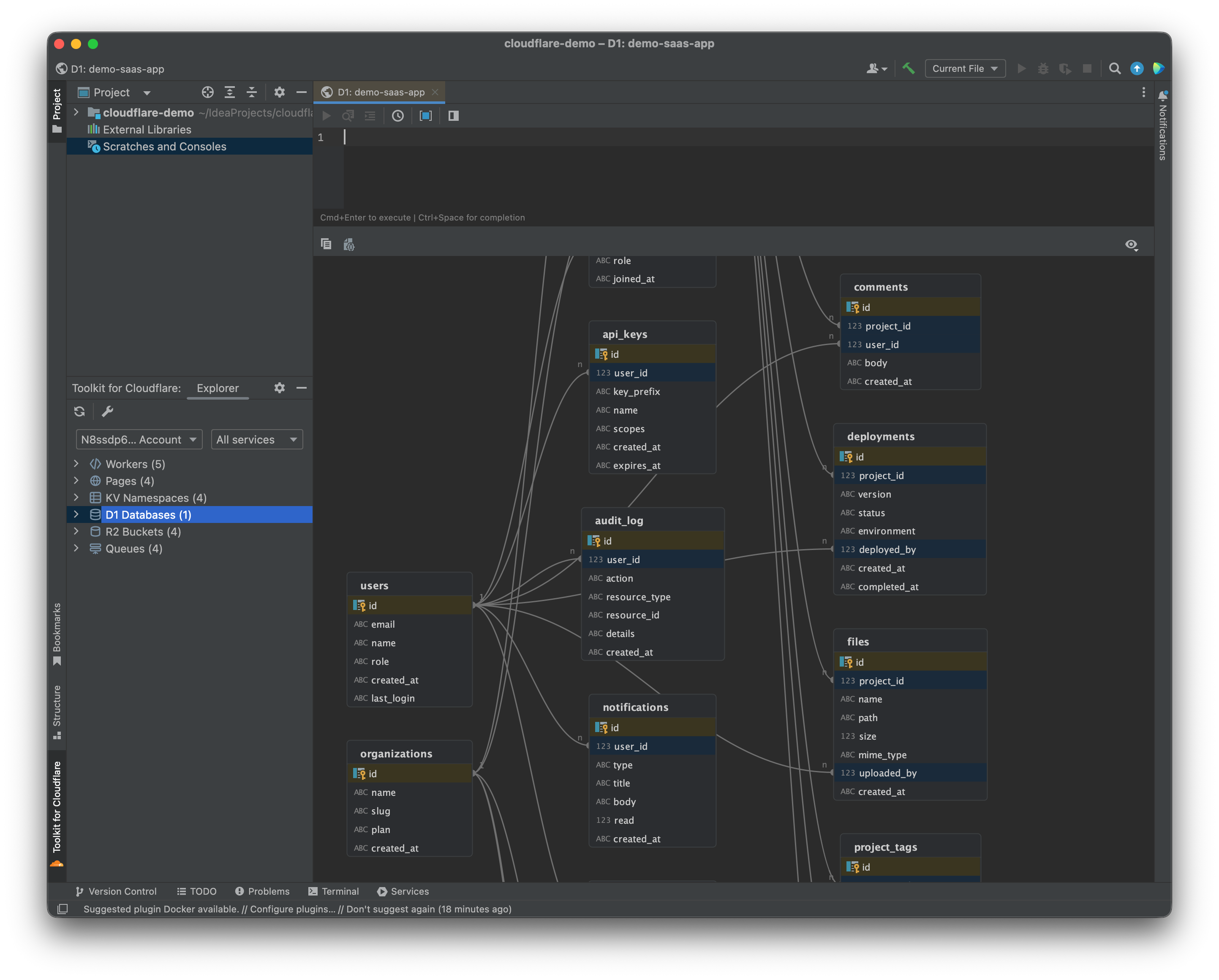
The D1 schema diagram presents tables and their relationships. Select the image to view it at full size.
Manual for version 2026.2.7 · Reviewed