Compiler backends and SyncTeX
Choose latexmk, Tectonic, or a direct engine and diagnose source/PDF navigation.
On this page
Select the build pipeline#
Open Settings → Tools → LaTeX. Automatic probes available backends; an explicit backend requires that executable rather than silently falling back.
| Backend | What to configure | Typical use |
|---|---|---|
| latexmk | latexmk and pdfLaTeX/XeLaTeX/LuaLaTeX | Existing TeX distribution and multipass documents |
| Tectonic | tectonic executable | Single-tool workflow with its own support bundle/cache |
| Direct engine | Selected TeX engine and processor policy | Explicit compiler/bibliography pipeline |
Check only the tools you actually intend to use:
latexmk -v
pdflatex --version
tectonic --version
An IDE launched from a desktop may not see terminal-only environment setup. Select absolute executables if discovery differs.
Set project paths and processors#
Project settings override application defaults. Confirm the main file, project root, output directory, backend, and bibliography policy. Classic BibTeX and BibLaTeX/Biber are different workflows; choose the one the document expects. latexmk orchestrates its own reruns, while direct-engine mode uses the selected pipeline.
The workshop needs no shell escape. Keep that disabled unless a trusted document explicitly requires external program execution. Automatic equation snippets have their own restricted compilation behavior.
Connect source to the current PDF#
Enable SyncTeX generation and rebuild. Keep the generated PDF and matching .synctex.gz together. LaTeX: Forward Search maps the caret to the preview; reverse search maps a PDF position back to source. The plugin can query a local synctex executable or use its built-in reader.
A missing, stale, differently named, or out-of-root mapping is rejected. If navigation stopped after changing the output directory, inspect both files before rebuilding repeatedly.
Diagnose a stale preview#
Check the last compiler result and active root. A preview that still shows an older successful build cannot validate a failed compilation. Inspect navigable compiler diagnostics, correct the error, then rebuild. Continuous preview should be enabled only after a normal one-shot build works.
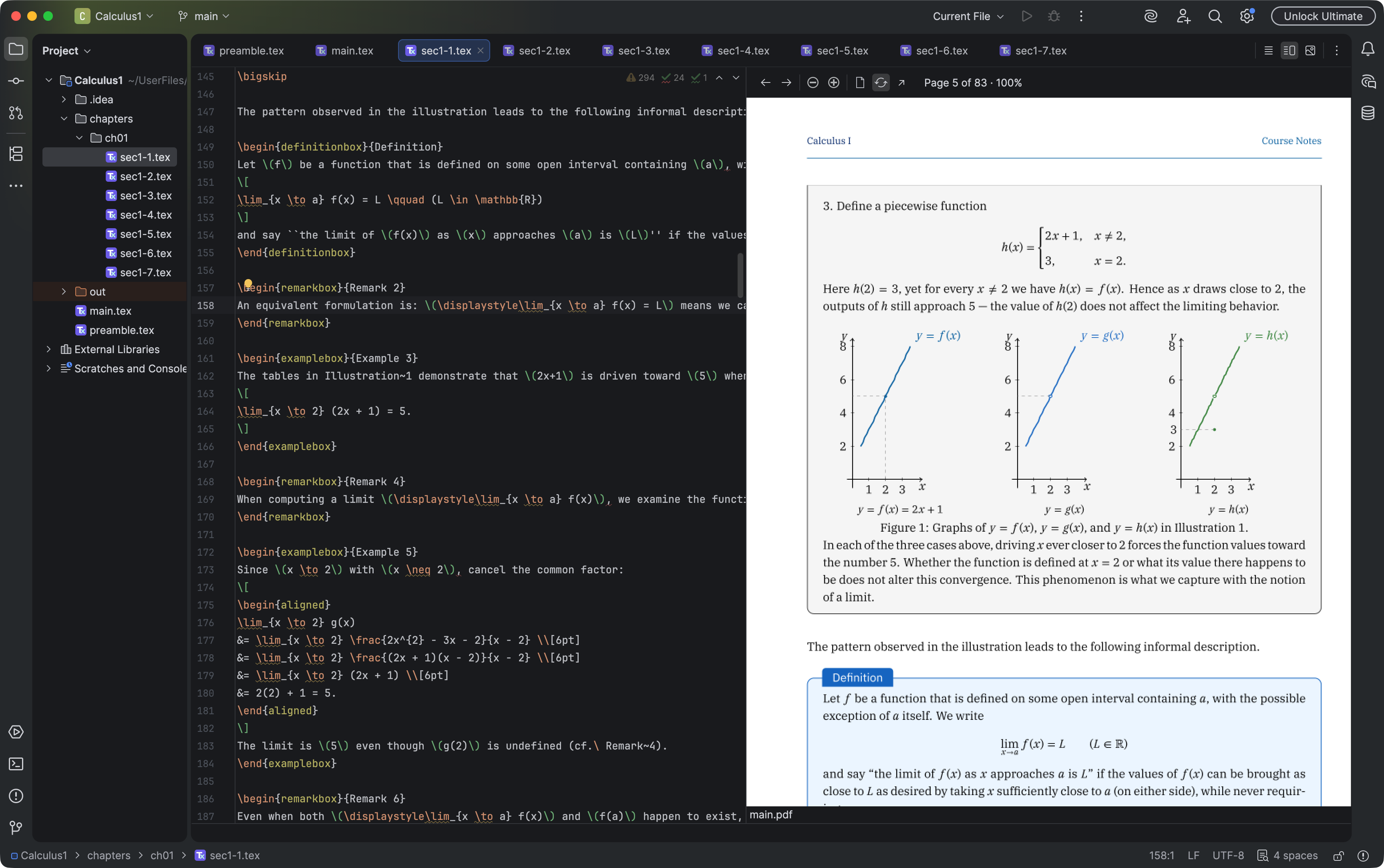
A continuous PDF preview keeps equations, diagrams, and surrounding text visible with the source. Select the image to view it at full size.
Manual for version 2026.1.14 · Reviewed