An authoring workshop
Build a multi-file article with an equation, citations, and a long table.
Open the workshop#
Download the LaTeX authoring workshop and open its directory as a project. It contains main.tex, two chapter files, and references.bib. Configure a working compiler under Settings → Tools → LaTeX: latexmk plus a TeX distribution, or Tectonic.
Mark main.tex through LaTeX Project → Mark as LaTeX Main File, then choose LaTeX: Build. The result should contain two sections, one equation, a bibliography, and a multipage table. Tectonic may need its support bundle cached or downloadable on the first build.
Navigate the document#
Open chapters/introduction.tex. Navigate from \cite{knuth1984} to its BibTeX entry and from \ref{tab:reviews} to the table label in the results chapter. Rename sec:introduction through the IDE, inspect the referencing chapter, then undo.
\section{Introduction}\label{sec:introduction}
This document cites Knuth~\cite{knuth1984}
and reviews Table~\ref{tab:reviews}.
Edit and inspect#
In the results chapter, place the caret in a table body row and use LaTeX Table → Add Row. The new body row should not be inserted into a repeated header. Rebuild and inspect the following page’s header before undoing the edit.
Select E = mc^2 in the equation and open LaTeX: Equation or TikZ Preview… using Find Action if needed. Inspect the selected mode and preview, then cancel to leave the source unchanged.
Connect source and PDF#
Enable SyncTeX data, rebuild, and use LaTeX: Forward Search in a chapter. The PDF preview should move to the corresponding content in the complete article, not compile the chapter alone.
If the citation is unresolved in the PDF, inspect bibliography passes; if it is unresolved only in the editor, inspect main-file selection and reachable bibliography resources. These are separate diagnoses.
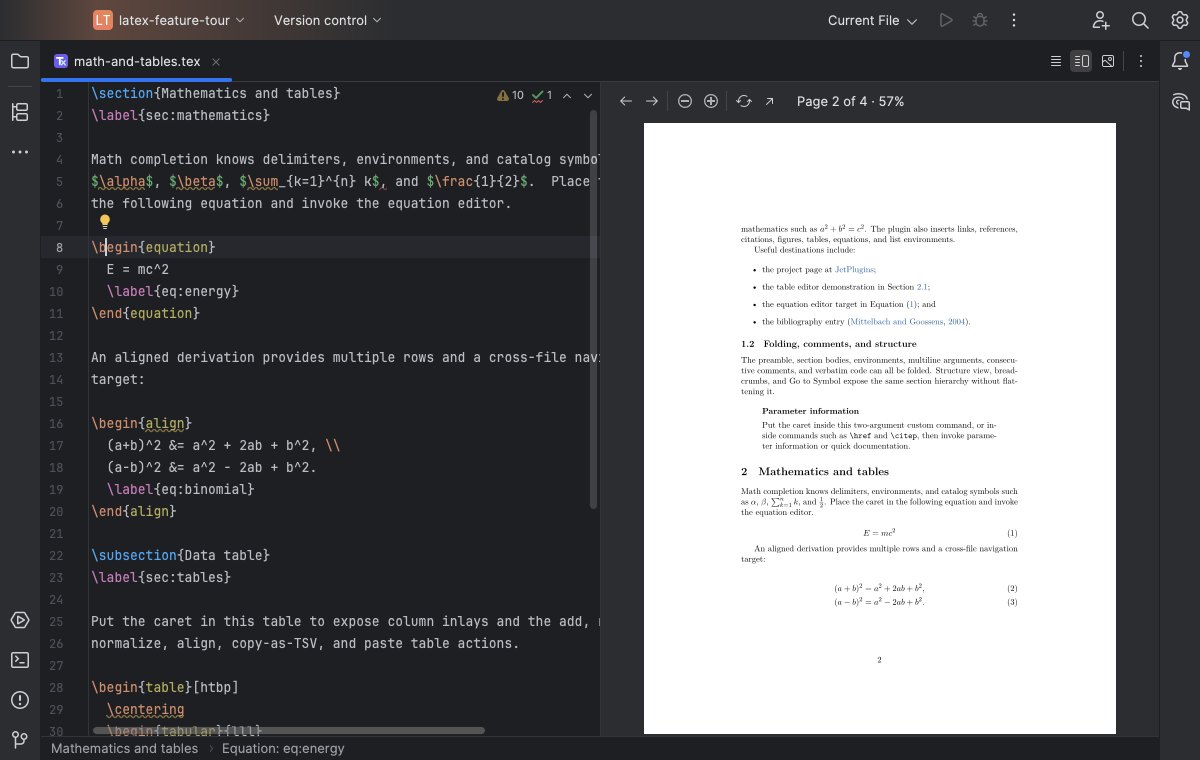
LaTeX source and a live PDF preview remain side by side while editing. Select the image to view it at full size.
Manual for version 2026.1.14 · Reviewed