Table editing and multipage tables
Insert grids, edit structure, and preserve longtable headers and footers.
On this page
Insert a table#
Open Generate in a writable LaTeX editor and use the visual table-size chooser. Put the caret in a table body and open LaTeX Table for row/column operations, separator normalization, source alignment, and TSV copying/pasting.
\begin{tabular}{lrr}
Item & Quantity & Score \\
\hline
Alpha & 2 & 8 \\
Beta & 3 & 9 \\
\end{tabular}
Add a column and inspect both the column specification and every row. Move a row and check that its cells move together. Align Source Columns changes source readability; PDF alignment is still determined by the table’s LaTeX column specification.
Handle multipage sections#
The workshop contains a 40-row longtable. Its source distinguishes repeated headers/footers from the editable body:
\begin{longtable}{lp{5cm}r}
\caption{Review items}\label{tab:reviews}\\
Item & Description & Score \\
\endfirsthead
Item & Description & Score \\
\endhead
Continued & & \\
\endfoot
\hline
\endlastfoot
Alpha & Review source & 4 \\
Beta & Review PDF & 5 \\
\end{longtable}
A body row must remain in the body when moved. Supported column changes apply across compatible header, footer, and body rows. Rebuild and inspect a continuation page after editing; source alignment alone cannot show repeated-header layout.
Paste structured data#
Use Paste CSV/TSV as Table, not ordinary Paste, for structured clipboard data. For longtable body replacement, the data dimensions must match the expected body dimensions. A mismatch is refused rather than guessed. Copy Table as TSV is useful for reviewing values independently of LaTeX separators.
Know when an edit is conservative#
Merged cells, decorated/macro-expanded column types, malformed rows, and dynamically generated separators can exceed safe structural editing. Some column edits are rejected when a spanning header/footer cannot be rewritten safely. Read the explanation, undo actual edits rather than no-op actions, and review the diff before applying a whole-table transformation.
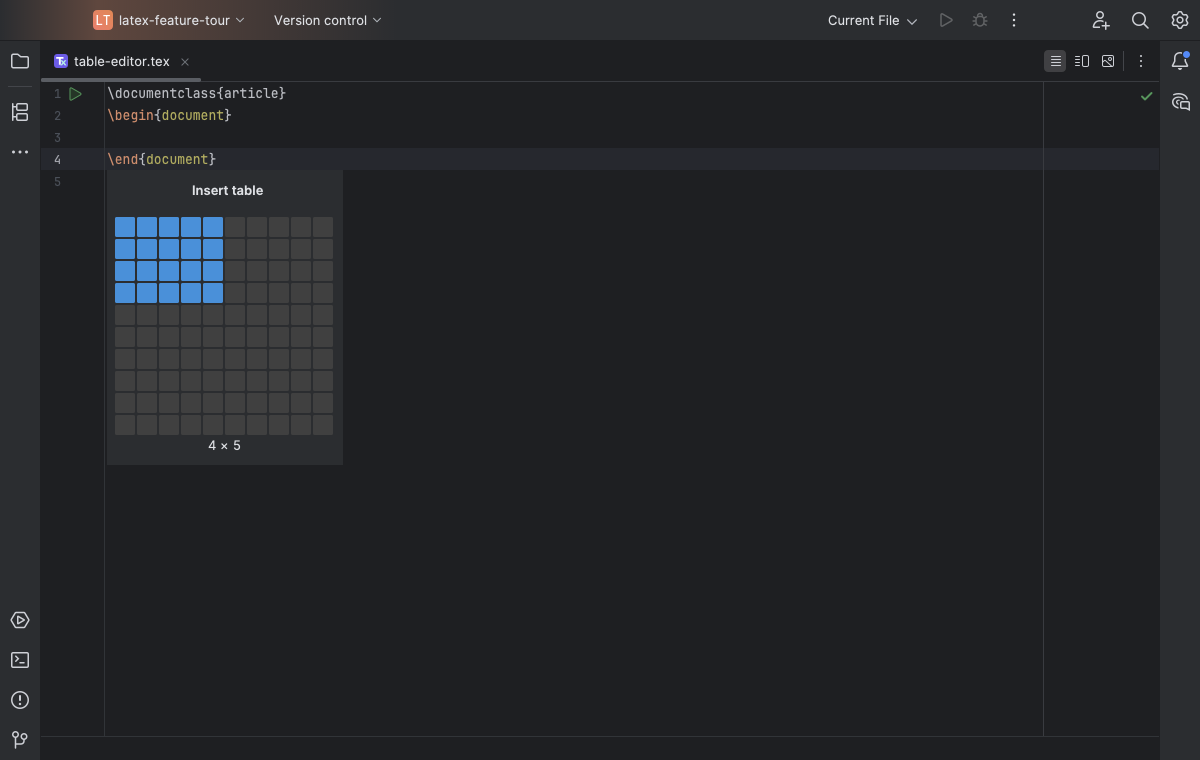
The Generate table chooser previews the row and column count before insertion. Select the image to view it at full size.
Manual for version 2026.1.14 · Reviewed