Knap data-driven document generation
Preview records and generate collision-safe filenames from structured data.
Start with one record#
Create article.knap.md:
# {{ title }}

By {{ author }}

{{ summary }}
Bind it to a JSON record:
{"title":"Schema review","author":"Example team","summary":"Check relationships before export."}Choose Preview with Knap, select the JSON data source, and refresh the preview. Expect the title, author, and summary values to replace their fields. Inspect missing/empty values before generating files.
Move to a batch#
Supported sources include JSON arrays, CSV rows, and a folder of JSON objects. Choose a representative record with punctuation, an empty optional value, and a duplicate-looking title. Use record-by-record preview rather than checking only the first row.
For batch filenames, use a template such as:
{{ title | safe_name }}.mdThe extension is part of the template. Include another stable field when two records can sanitize to the same name. Date formatting is also available, for example {{ date | date:"YYYY-MM-DD" }} when the input contains a suitable date.
Review the output set#
Choose a destination distinct from input and inspect generated names. Batch validation checks the complete set, including collisions, before writing. Correct collisions rather than assuming later records should replace earlier output.
Keep the template and original data with the generated files when reproducibility matters. Run the documentation site’s own link/build checks afterward; successful substitution cannot validate whether a generated relative link points at the intended site route.
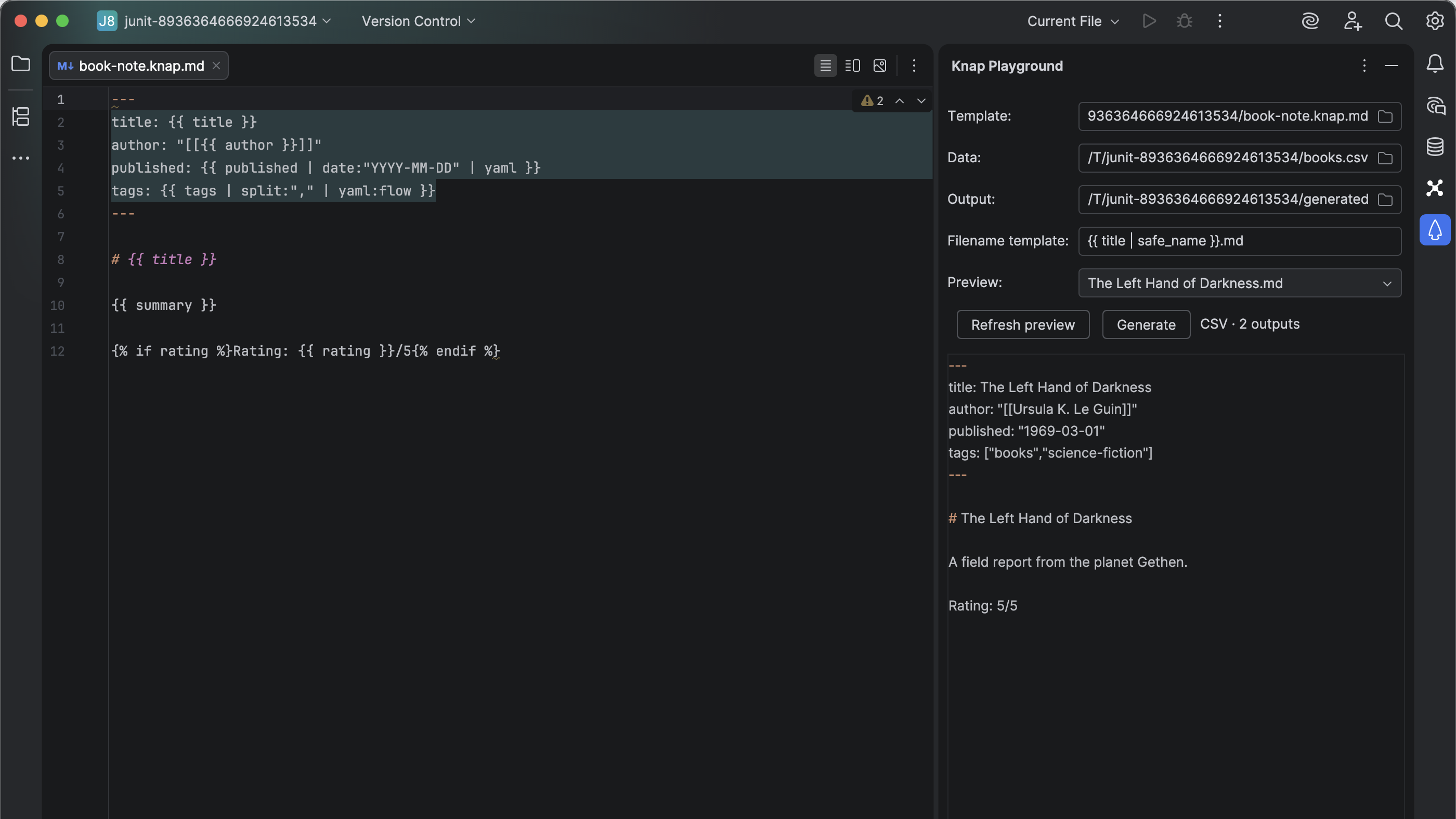
The Knap Playground previews a selected record before writing generated Markdown. Select the image to view it at full size.
Manual for version 2026.2.8 · Reviewed