Wikilinks, blocks, and transclusions
Build an Obsidian note graph with aliases, heading links, and embeds.
On this page
Create a small linked vault#
Open a folder containing .obsidian, or explicitly choose the Obsidian profile/root. Create Project.md and Meeting.md:
# Project

## Next steps

Review the schema. ^schema-review
In Meeting.md, try:
# Meeting

[[Project]]
[[Project|Project brief]]
[[Project#Next steps]]
[[Project#^schema-review]]
![[Project#Next steps]]
Completion/navigation distinguishes a file, display alias, heading, and block. The final line embeds content instead of only linking to it. Check the preview and navigate each reference to verify the selected vault root.
Add callouts and assets#
Obsidian preview supports callouts, highlights, comments, note transclusions, and supported local media. Keep asset references vault-relative where expected. A note moved into another folder may change a file-relative image path even when a wikilink still resolves.
Explore relationships#
Open Markdown Graph, choose global vault or local neighborhood, and filter link types. Citations, embeds, tags, and Canvas references can express different relationships. A highly connected note is not necessarily the best starting page; inspect its incoming/outgoing counts and actual content.
Resolve a missing note#
Select an unresolved graph node to inspect the offered create action. Confirm the configured new-note directory and intended filename before creating it. If many known notes appear unresolved, correct the vault root first instead of generating duplicate notes throughout the project.
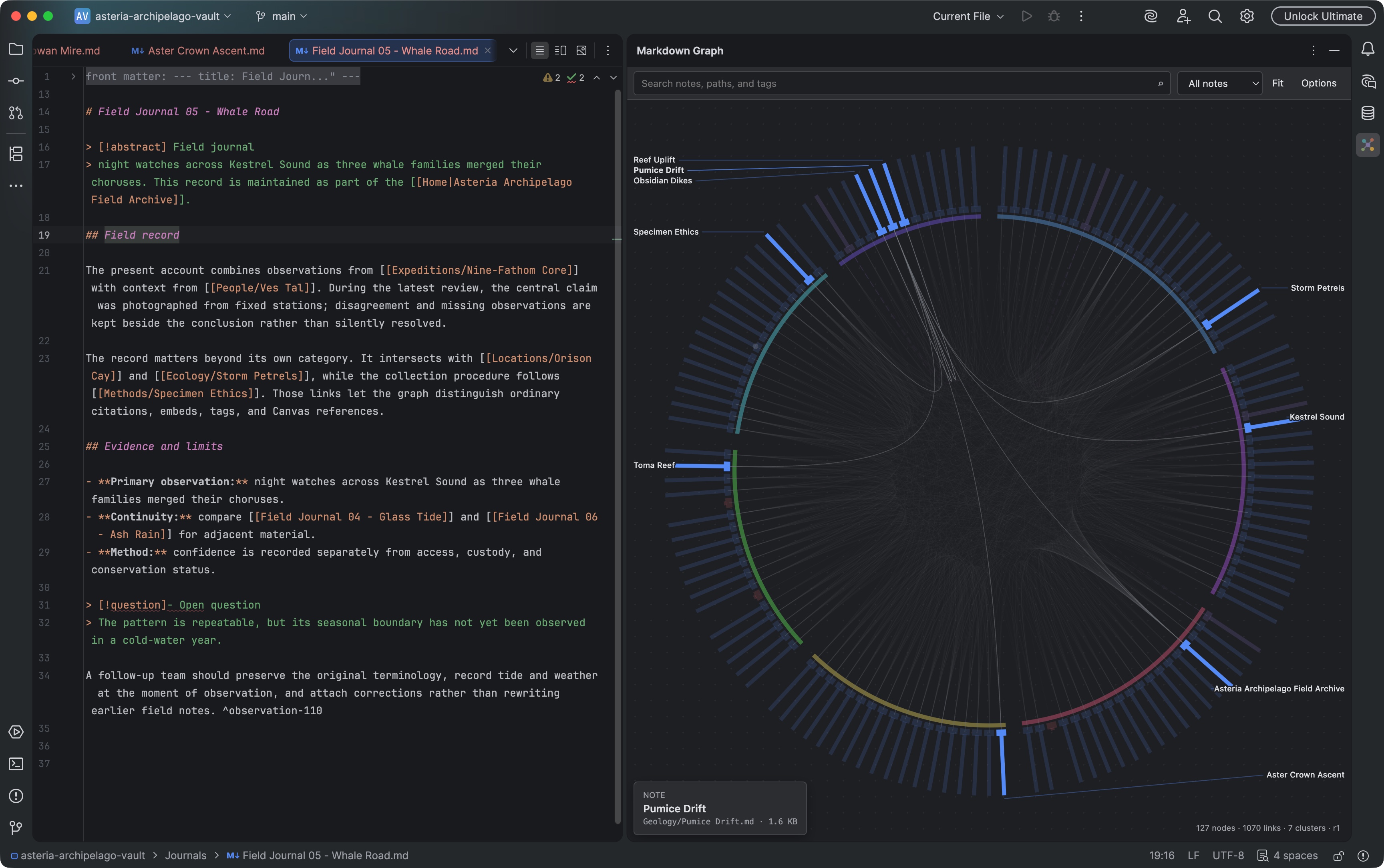
The Markdown Graph tool window visualizes a vault and its typed note connections. Select the image to view it at full size.
Manual for version 2026.2.8 · Reviewed